Section 3 Copy Mode – Color 3-4
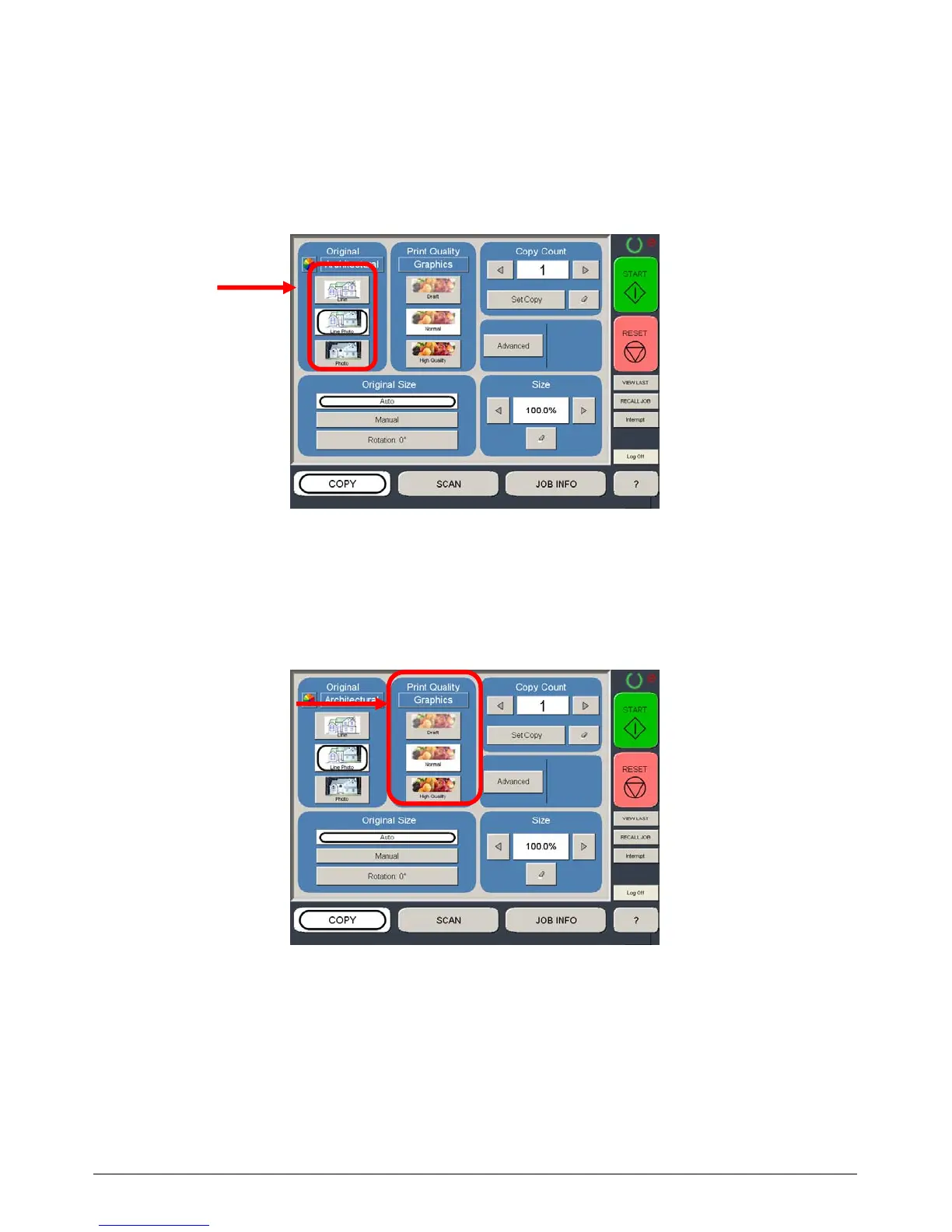
1.2.3 Select Original Image Type - Input
Set the original image type you will copy. The selections are:
Line - used for simple color line documents
Line / Photo - used for a combination of lines & photos color documents
Photo - used for color photographic originals
This will allow automatic image quality adjustments for the scan.
1.2.4 Print Quality - Output
The model of third party color printer will determine on the available Print Quality. Select
“Graphics” or “Line Art” mode and then select “Draft, Normal or High Quality” mode for the
printer.
Please note that each Print Quality mode must be calibrated prior to its use. Please see
Color Calibration in the “?” screen for greater details.



 To Next Page