Section 2 Copy Mode - Monochrome 2-17
2.5.6 Trailing Edge Adjustment
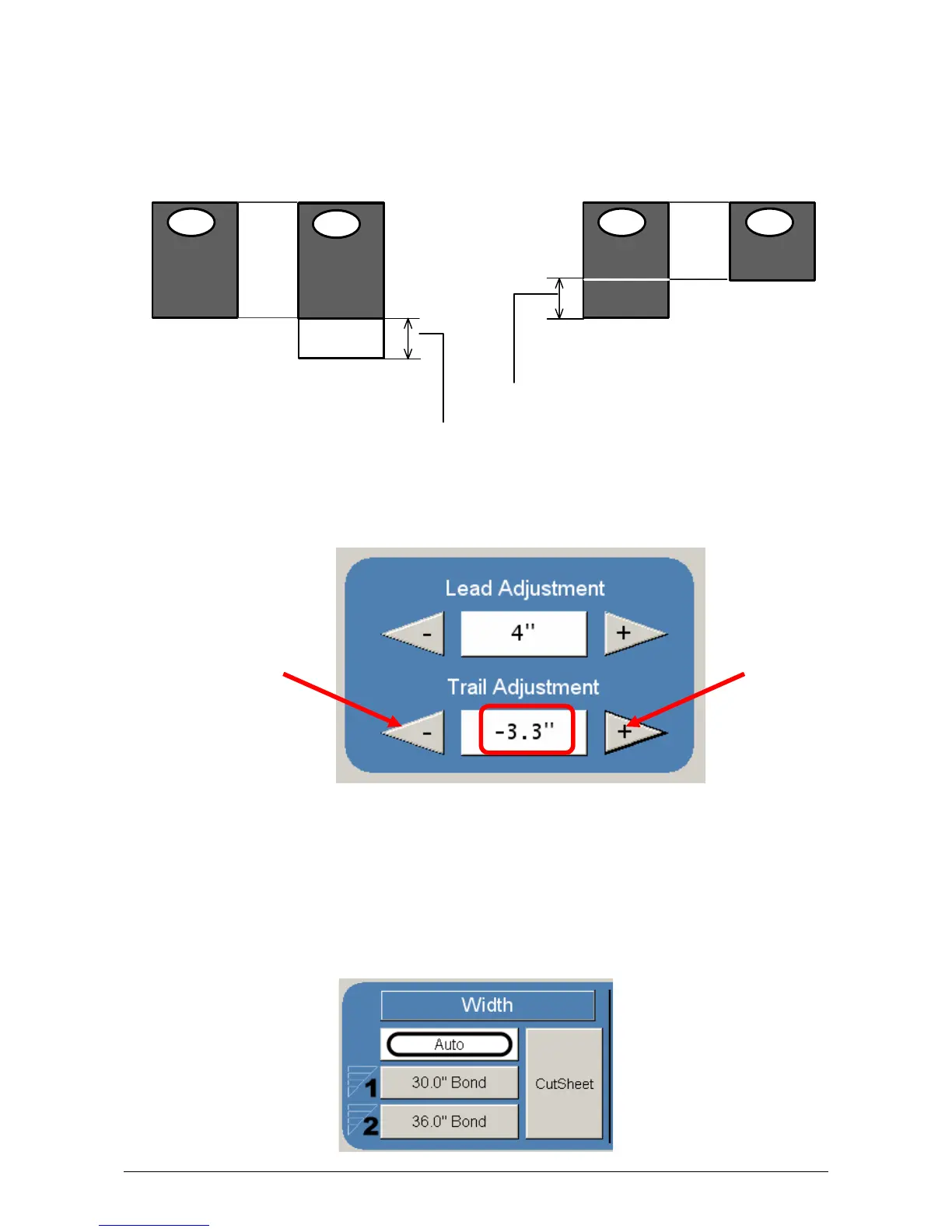
The trailing edge of each copy can be altered. ( +/- 4” )
c) Additional void area can be placed on the bottom of a copy or
d) Image can be removed (such as a binding strip or a file hanger)
To adjust the Trailing Edge, use the arrows to denote the quantity you wish to add
or remove.
Touch the value displayed area to reset the quantity.
Make any of the required adjustments / selections and press “OK” to accept. The
selections will now be displayed on the main Scan screen.
2.6 Width
This region allows automatic or manual roll selection, roll size display, cut sheet media,
the roll amount remaining and to set the installed media type and width.
Ima ge
Scanner
KIP
Im a g e
Scanner
KIP
Ima g e
Scanner
KIP
Im a g e
KIP
Trail edge + Trail Edge -
Original
Copy
Original
Copy
Added trailing margin
Deleted trailing image



 To Next Page