Section 3 Copy Mode – Color 3-14
2.6.3 Custom
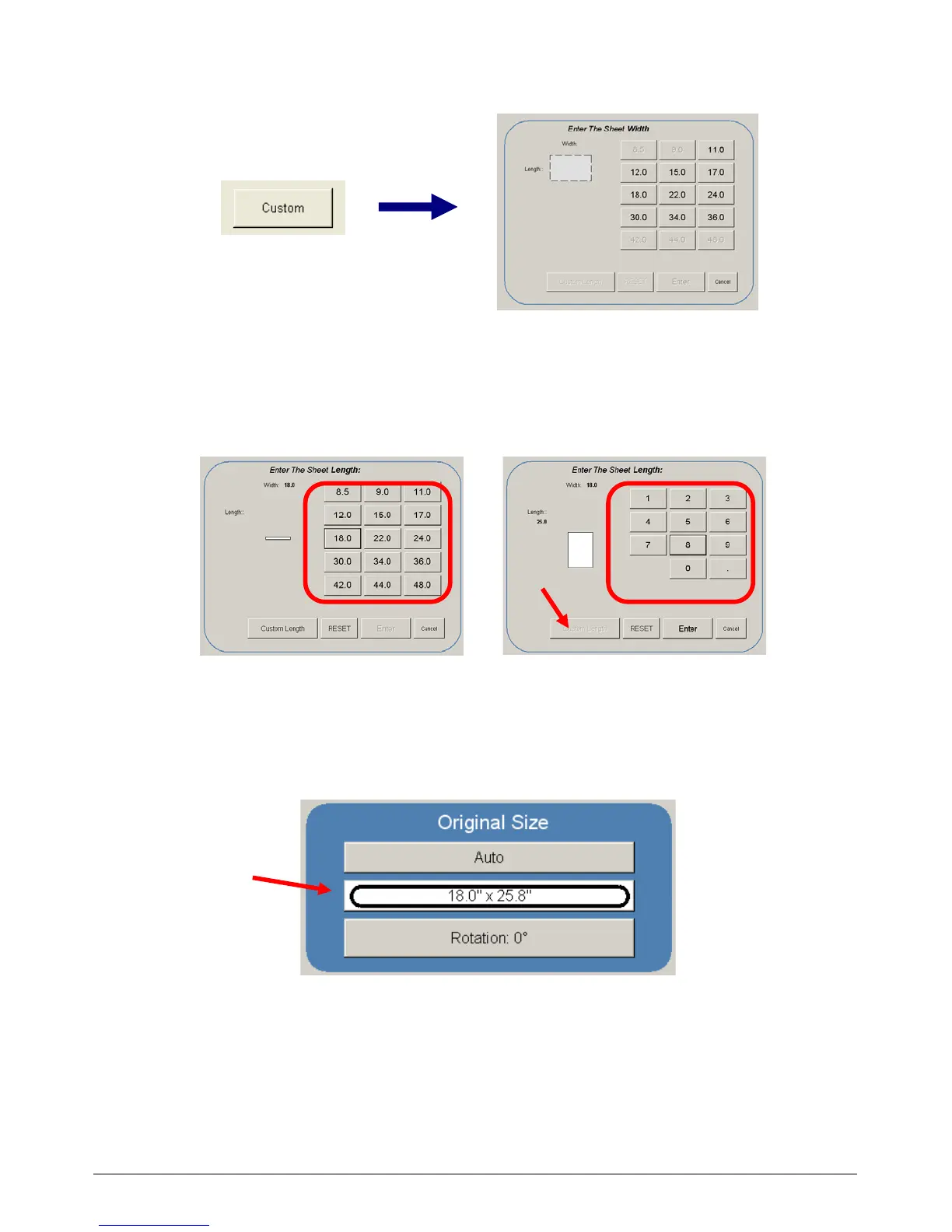
This mode allows the original width and length to be determined by the number pad.
a) Set the width of the scan. Note that these are only Standard Sizes.
b) Set a Standard Length or Custom Length – set the Custom length in the key pad
and press enter.
Standard Length Custom Length
c) The cut length will now be displayed in the Manual button. In this example 18” width and a
custom length of 25.8”.



 To Next Page