Section 10 KIP Request 10-5
1.3 Simple Printing
The following describes how to make a basic job submission to the KIP printer.
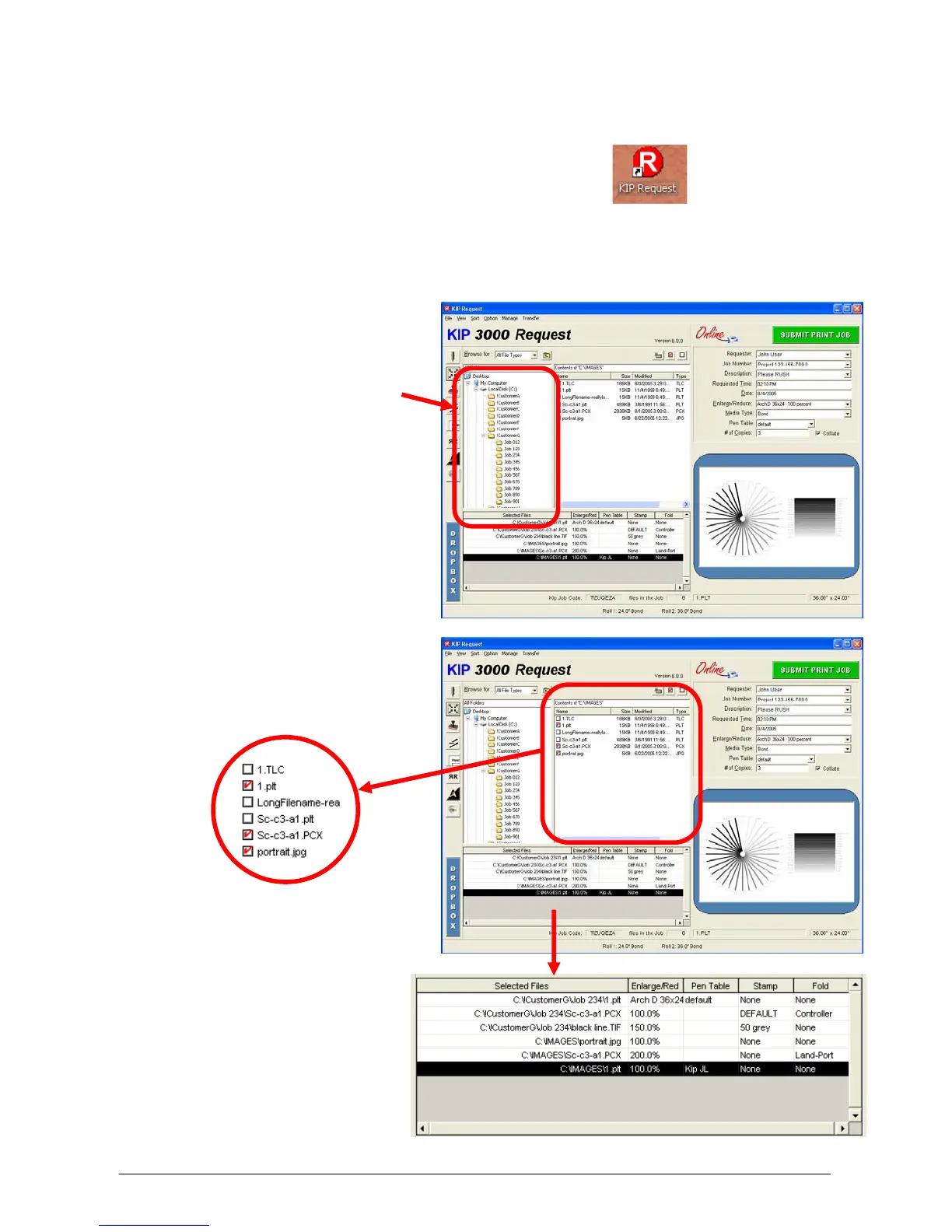
1) Click on the “KIP Request” icon on your Desk Top
2) Or from the “Start” button click on:
a) All Programs
b) KIP Programs
c) KIP Request
3) Browse to the folder where the
files you wish to print are located
on your local PC or on the
network. (usual Windows mouse
functions for folder selection)
4) Click on the file(s) to print which
will be shown with a “check
mark” in the box beside the file.
5) The files selected will now
also be shown in the lower
box noting any zoom, pen,
stamp and fold to be applied.



 To Next Page