Section 1 Basic Printer Functions 1-35
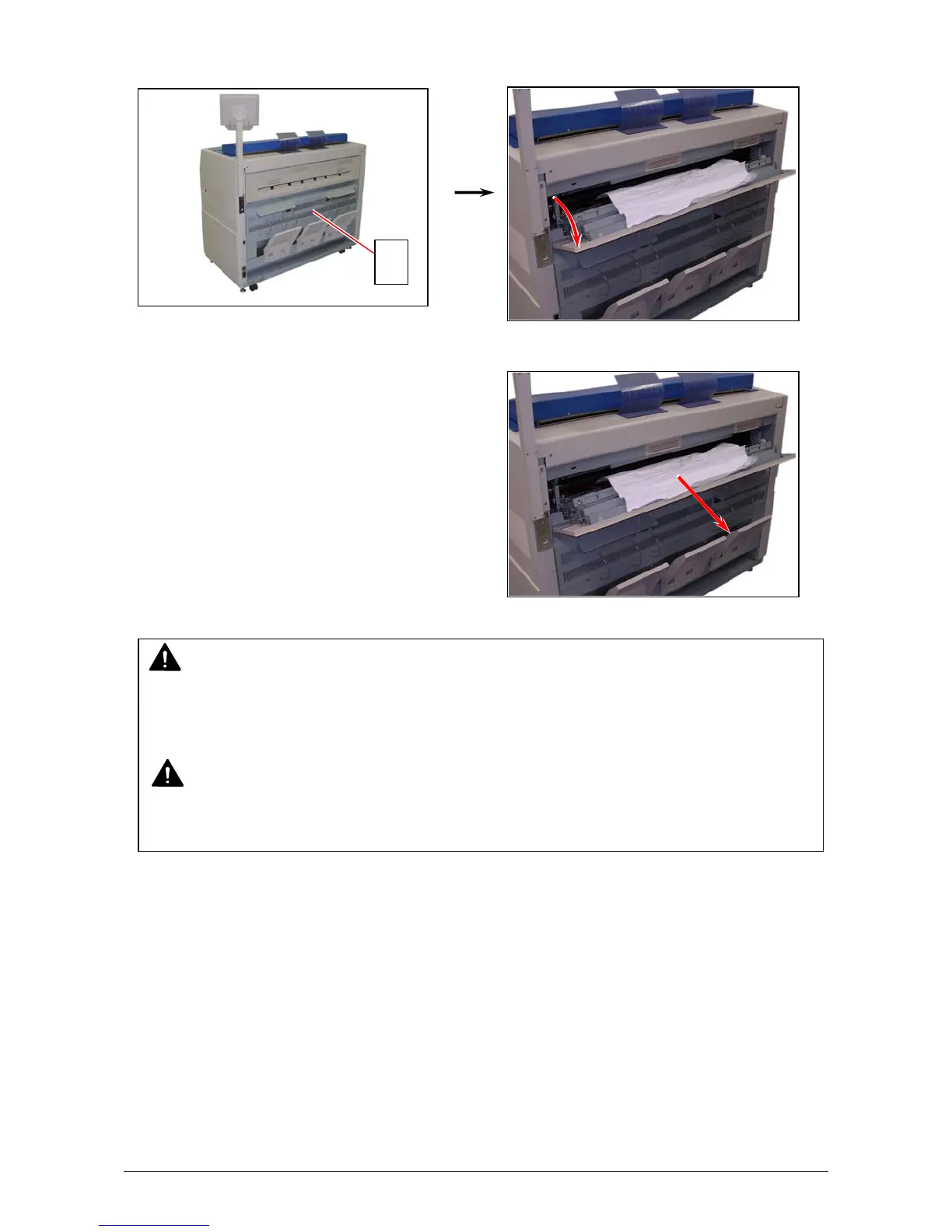
4. Open the Exit Cover (2).
5. Remove the jammed paper pulling to the rear side.
3. 1. 1. 5 Accessory Jam
The printing paper is mis-fed in the optional device such as Auto Stacker or Folder.
Remove the mis-fed paper making reference to the User’s Manual of concerning device.
WARNING
There are extremely hot parts inside the Exit Cover.
Do not touch any parts in the Heater Unit. or you will be burnt.
Also be careful not to get burnt when you touch the printing paper as it may be very hot.
NOTE
If removed a mis-fed paper inside the Exit Cover, scattered toner can be adhered to the next
print.
2



 To Next Page