Section 4 Scan Mode - Monochrome 4-18
2.8 Mailbox
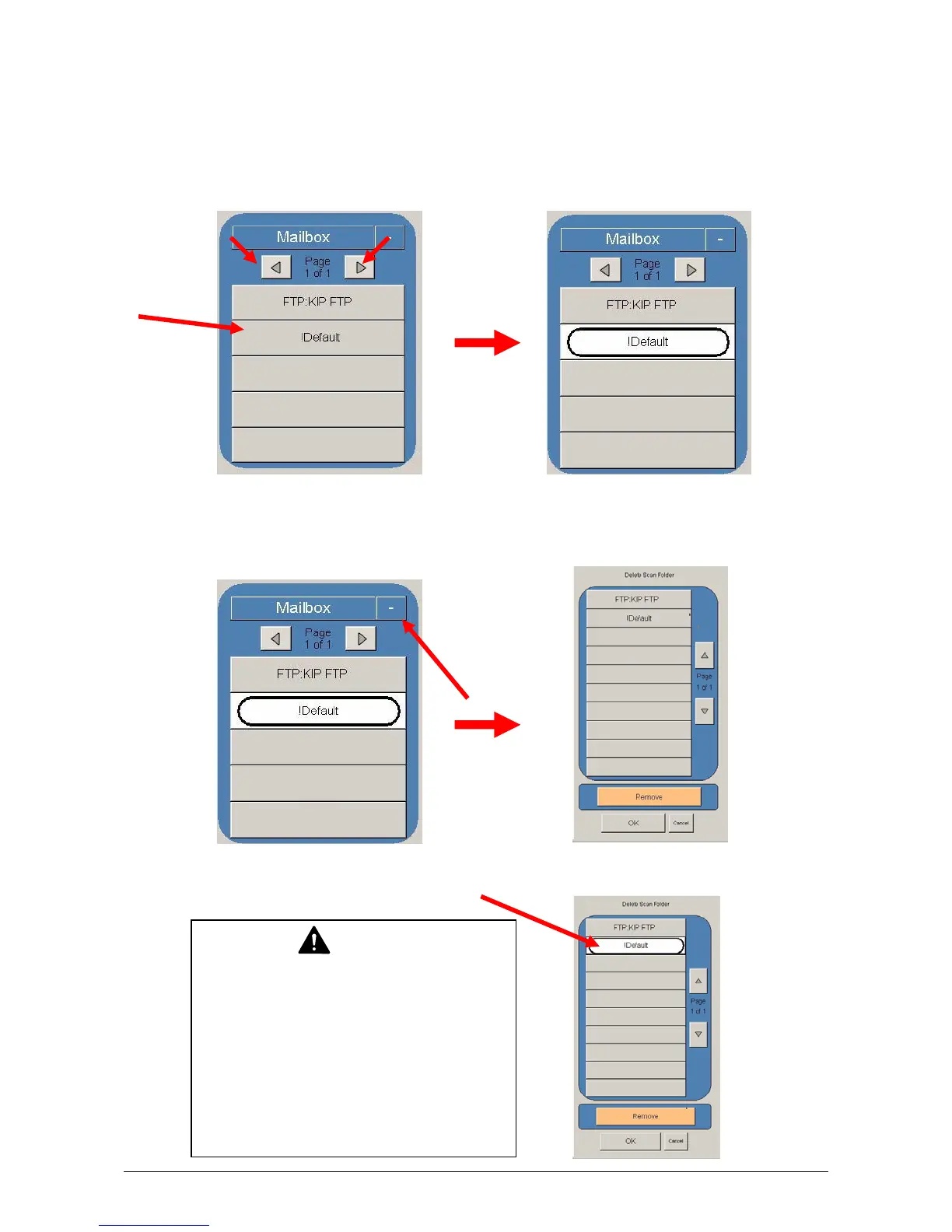
This region of the Scan screen allows the user to select where the files will be placed.
2.8.1 Selecting a Mailbox
a) Use the arrow keys to scroll through the list as needed.
b) Select the location by pressing on it.
2.8.2 Removing a Mailbox
a) Press the “-“ button on the main Scan screen.
b) Select which “Mailbox” you wish to remove.
NOTE
The “Mailbox” removed also removes
all documents images with that folder.
ENSURE YOU HAVE BACKED UP or
DOWNLOADED ANY NECESSARY
FILES IN THE FOLDER PRIOR TO
REMOVING IT IN THE NEXT STEP!



 To Next Page