Section 3 Copy Mode – Color 3-9
2.4 Copy Count
In this region the number of copies, and set copy / collation can be set.
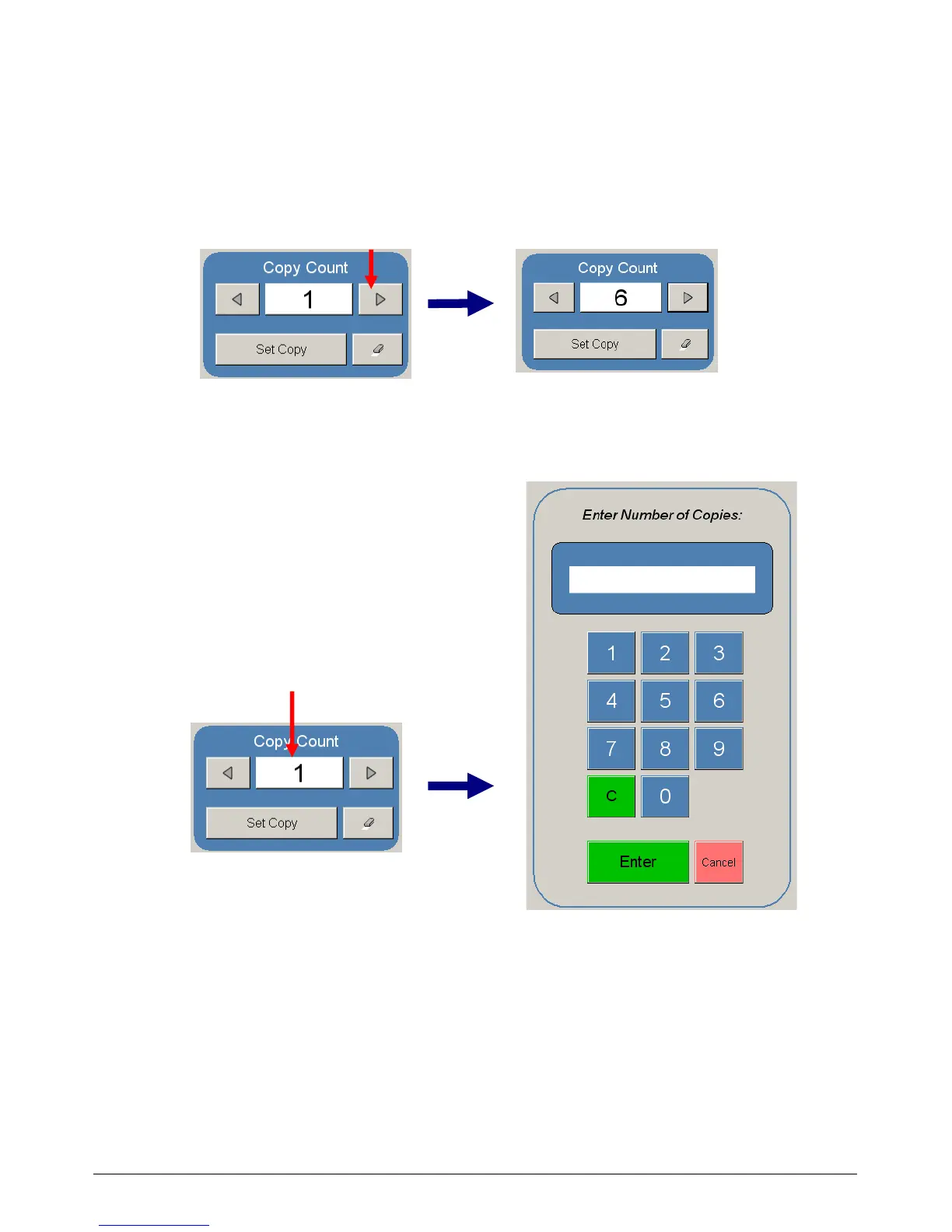
2.4.1 Arrows - Count Increase / Decrease
Use the arrows to increase or decrease the total numbers of copies desired by one with
each press of the button.
In this example the arrow was press five times to reach “6 copies”.
2.4.2 Number Pad - Count Increase / Decrease
Press the “number of copies” value (which is a button) to set the desired number of copies
using a number pad. This will allow the quick entry of larger numbers.
a) Press the numbers for the quantity desired.
(up to 999)
b) Select “Enter”.
c) If an entry error was made press “C” to
start again.
d) If you wish to close the screen without
changing the quantity press “Cancel”.



 To Next Page