Section 4 Scan Mode - Monochrome 4-22
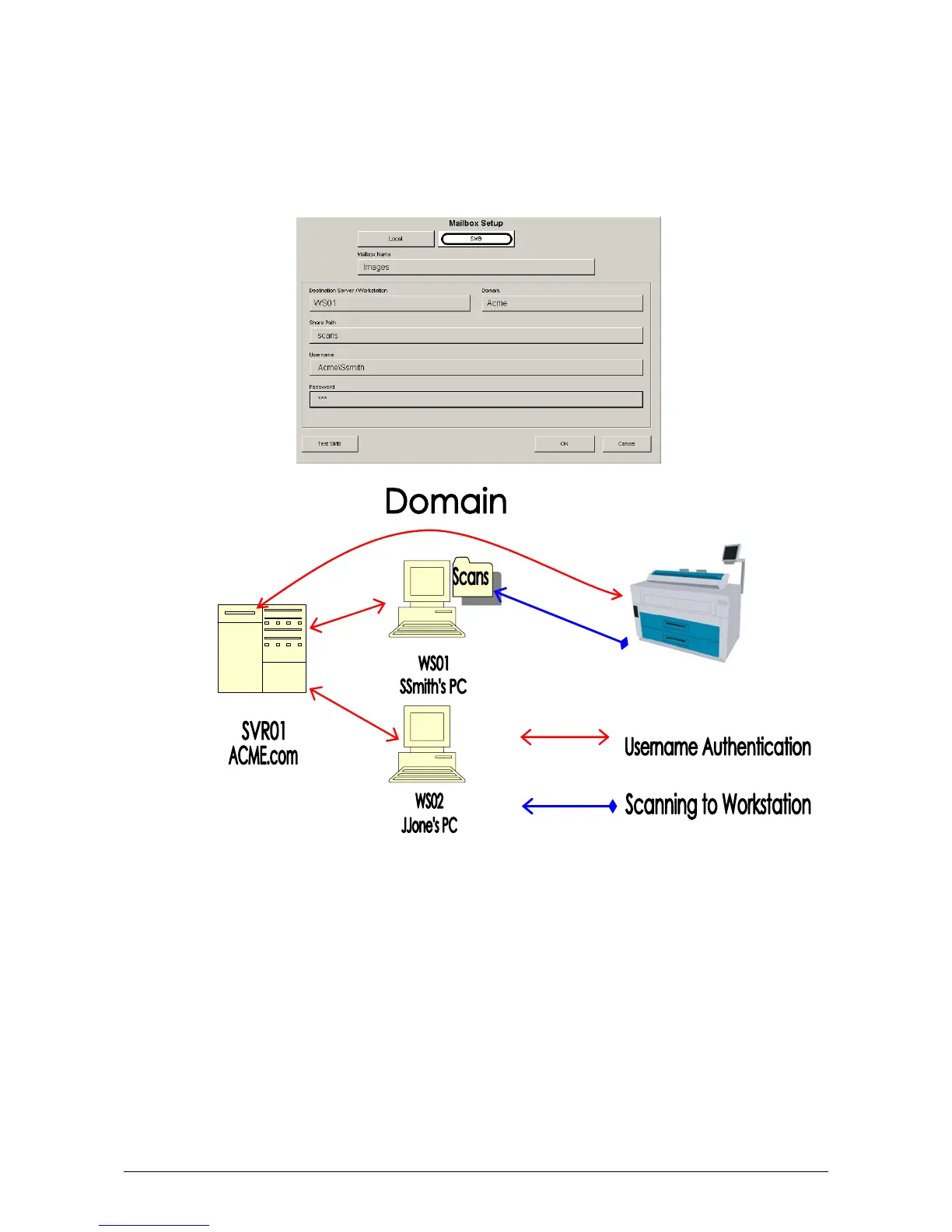
d) Touch Domain button to enter the client authorization information. This entry will work in
conjunction with the Username/Password entries as defined in later steps.
c. Some facilities will have user credentials (SAM) stored on a central authorization
server (Domain Controller/Active Directory Server) that will grant connection access
to the KIP IPS for shared resources. If the KIP IPS is connecting to a workstation
(WS01) that is a part of the Acme.com domain, then the user would enter Acme in
the Domain section. The KIP IPS would get authorization credentials from the
SVR01 server in order to scan to the “Scans” folder on the WS01 workstation
(SSmith’s PC).



 To Next Page