Section 8 Windows Driver 8-12
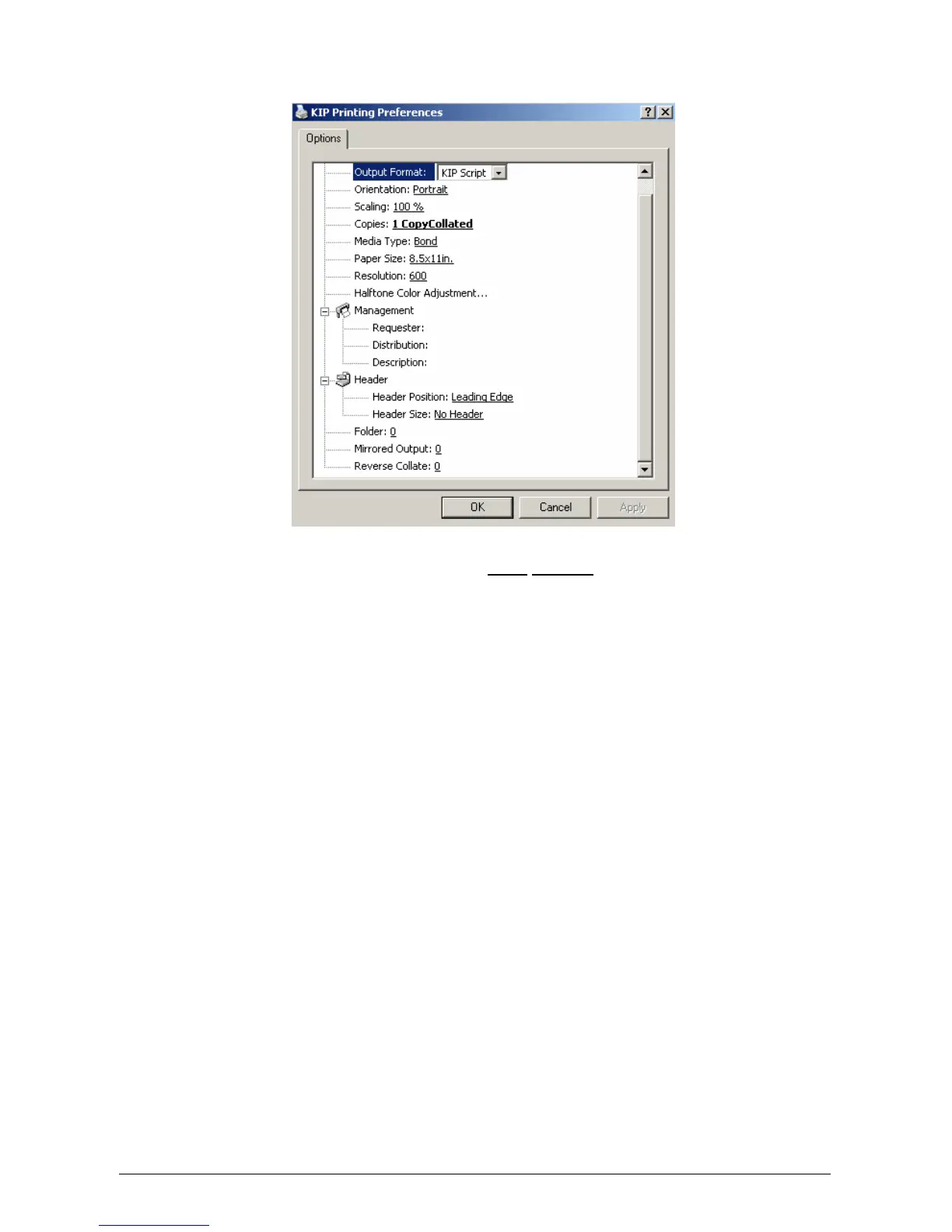
Right-Click on “KIP Printer” and select Printing Preferences. User Interface is displayed.
For Microsoft Windows NT4, select Document Defaults.
l) The following settings will determine the initial defaults for the printer driver. These
defaults are acquired from client workstations connecting to the shared printer driver.
Please note that some workstations may not be able to alter the Printer Preferences
unless allowed by the network login.
m) Select desired Output Format* and make your selections for default paper size,
orientation, Management functions*, and Header information.
n) Click OK when finished.
o) Share the printer to other network clients if required.



 To Next Page