Section 1 Basic Printer Functions 1-23
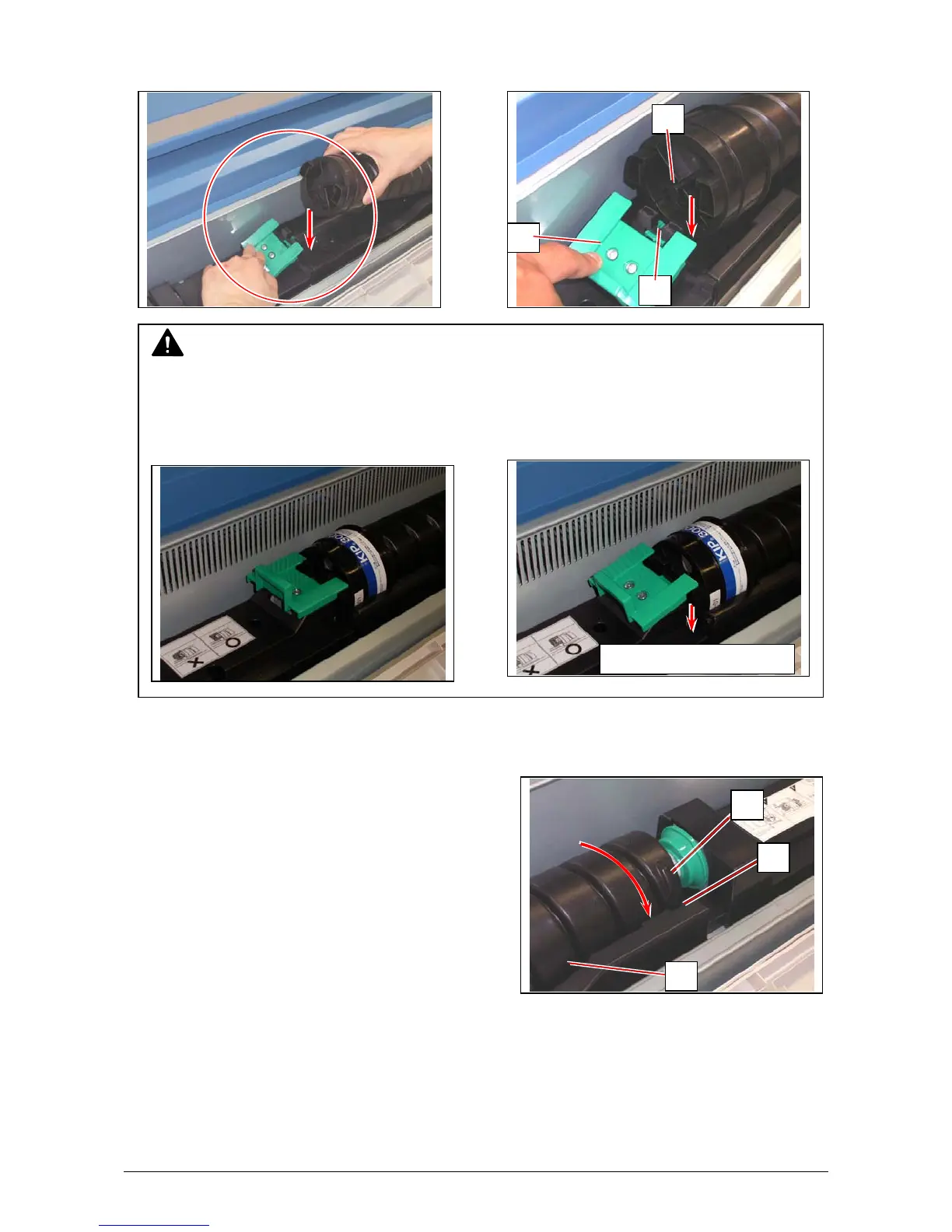
6. There is a pin (6) on the left side of cartridge, and there is a groove (7) on the machine side.
Pressing down the Cartridge Lock Lever (3), fit the pin (6) to the groove (7).
7. Rotate the body (3) of the cartridge to the arrow direction a few revolutions to open the toner
supplying hole. Confirm that the projection (8) if fitted into the notch (9).
8
9
4
7
6
3
NOTE
Please confirm that the Cartridge Lock Lever (3) firmly locks the Toner Cartridge at the
correct position.
Good No good
Press down com
letel
.



 To Next Page