OPERATION DETAILED CONTROLS AND GAUGES
3-59
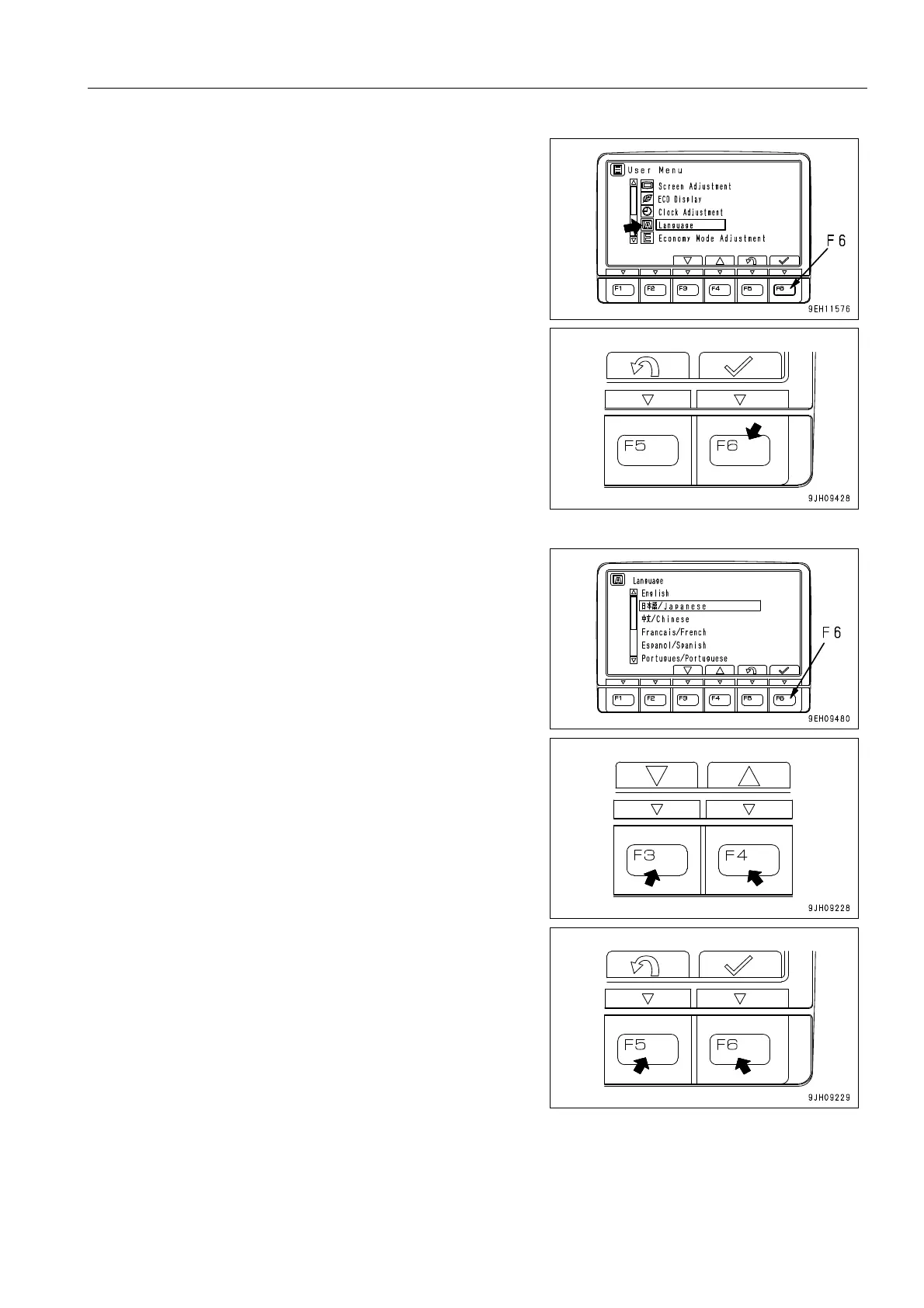
2. Select “Language“ on the user menu, then press switch F6.
The screen switches to the language selection menu
screen.
3. Select the language to use for the display, then press
switch F6. The screen display changes to the selected lan-
guage.
q On the language selection screen, it is possible to
carry out the following operations with switches F3 to
F6.
F3: Moves to item below.
F4: Moves to item above.
F5: Cancels change and returns to user menu screen.
F6: Accepts change and returns to user menu screen.











 To Next Page