DETAILED CONTROLS AND GAUGES OPERATION
3-8
One of the features of liquid crystal display panels is that there may be black spots (spots that do not light up) or
white spots (spots that stay lighted up) on the screen. If there are fewer than 10 black or white spots, this is not a
failure or a defect.
Basic Operation of Machine Monitor 3
Starting Engine When Situation is Normal
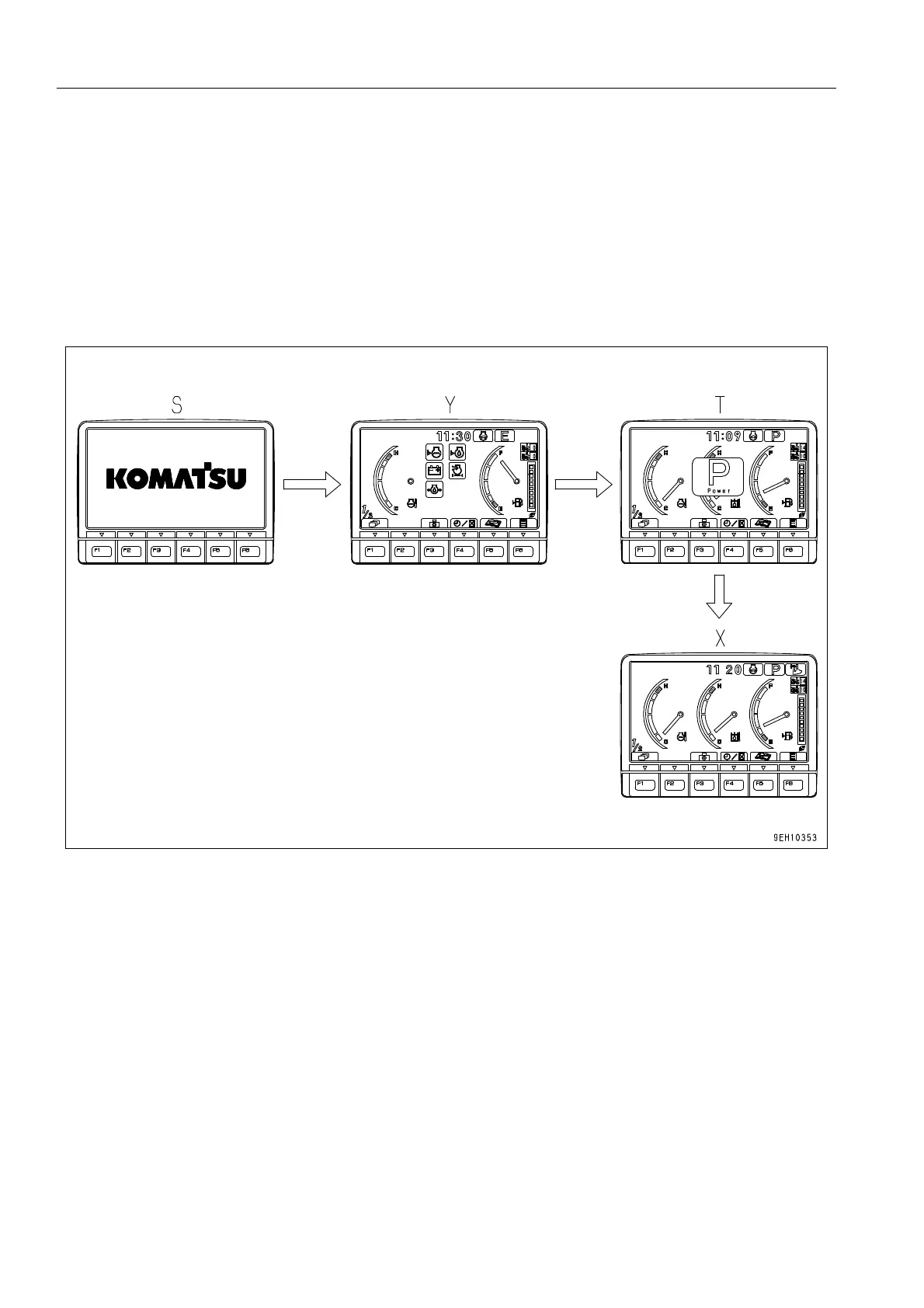
q When the starting switch is turned to the ON position, opening screen (S) is displayed.
q After opening screen (S) has been displayed for 2 seconds, the screen switches to Check before starting
screen (Y).
q After Check before starting screen (Y) has been displayed for 2 seconds, the screen switches to Working
mode display screen (T).
q After Working mode display screen (T) has been displayed for 2 seconds, the screen switches to standard
screen (X).
When the engine is started, the battery voltage may suddenly drop depending on the temperature and the battery
condition. If this happens, the display on the machine monitor may momentarily go out, but this does not indicate
any abnormality.











 To Next Page