MAINTENANCE MAINTENANCE PROCEDURE
4-43
CLEAN LINE FILTER, REMOVE DIRT 4
If there is any abnormality in the pump or other hydraulic equip-
ment, remove the dirt from inside the line filter as follows.
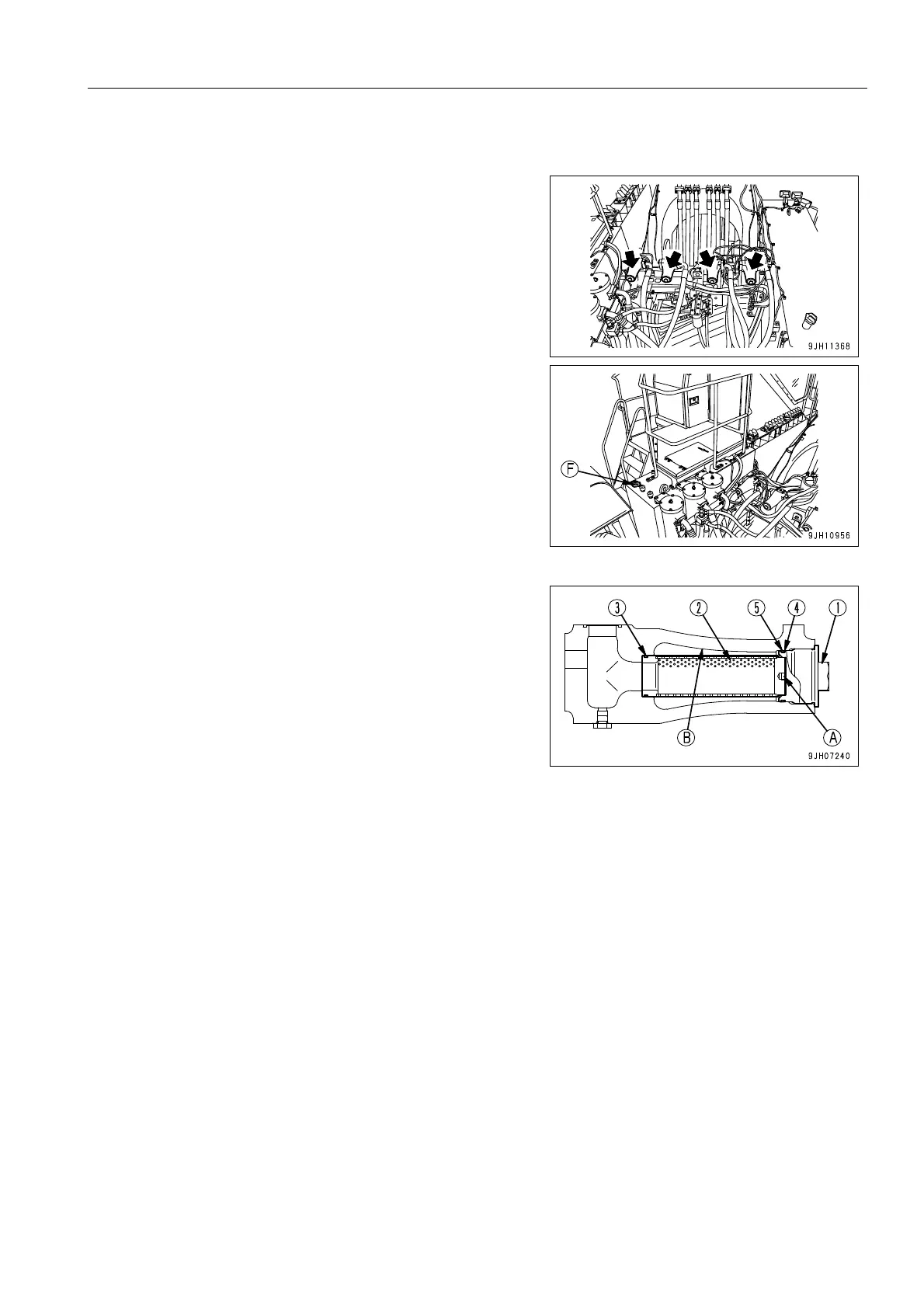
q Before removing the dirt from the line filter, remove the cap
from oil filler port (F) at the top of the hydraulic tank to
release the pressure inside the hydraulic circuit.
1. Remove cover (1).
2. Install a bolt (10 mm) in bolt hole (A) of element (2), then
hold the bolt and pull out element (2).
3. Clean element (2).
q When cleaning the element, clean the dirt and dust
stuck to side surface (B) of the filter case.
4. Replace O-ring (3) of element (2) with a new part, then
insert element (2) into the filter case.
5. Replace backup ring (4) and O-ring (5) of cover (1) with
new parts, then install cover (1) to the filter case.
Tightening torque of cover (1): 181 Nm (18.5 kgm)
After assembling the line filter again, bleed the air. For details, see “BLEEDING AIR FROM HYDRAULIC SYS-
TEM (4-49)“.











 To Next Page