MAINTENANCE PROCEDURE MAINTENANCE
4-74
7. When installing, bring the packing surface into contact with the seal surface of the filter holder, then tighten a
further 3/4 - 1 turn.
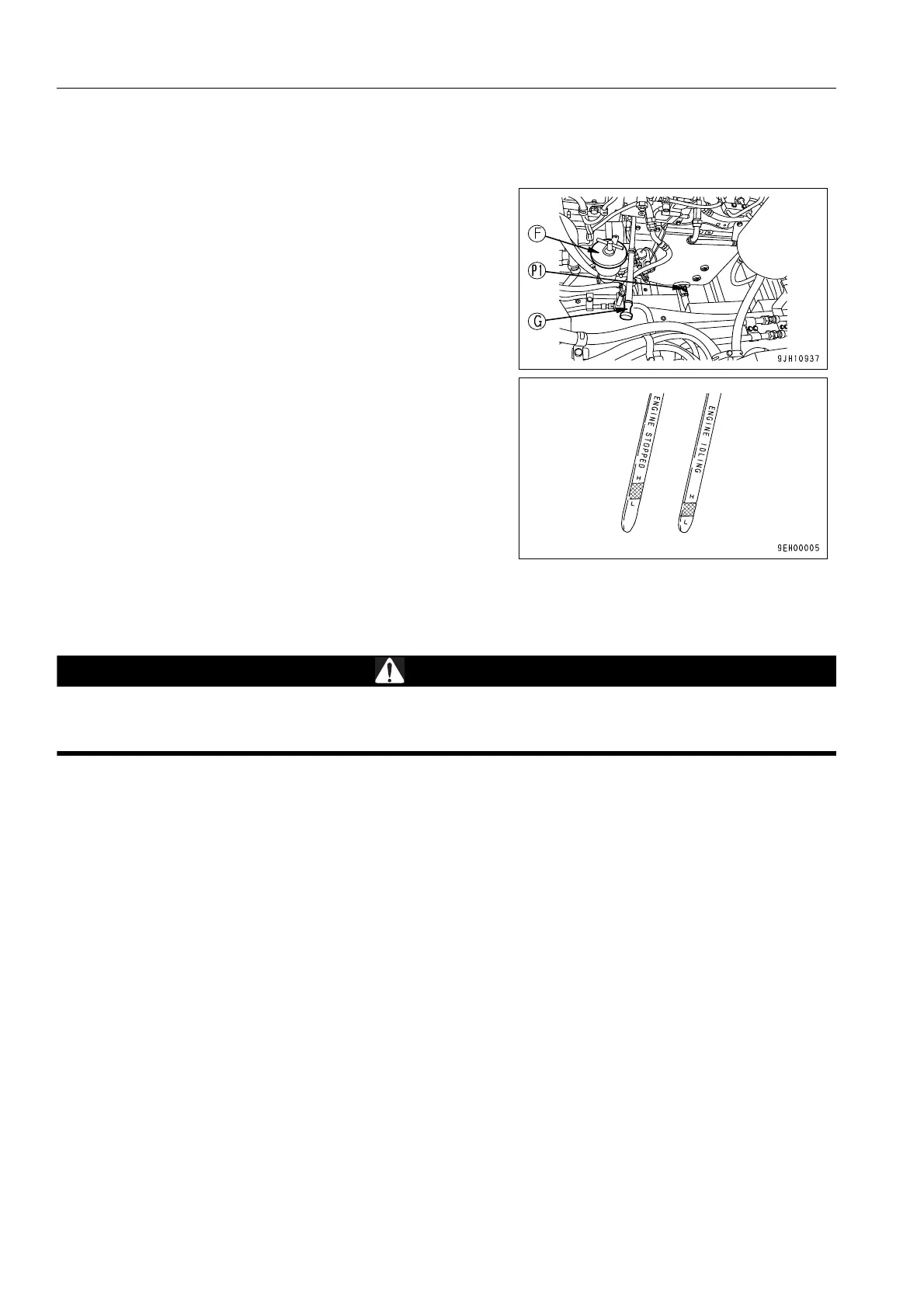
8. After replacing the filter cartridge, add oil through oil filler
port (F) so that the oil level is between the H and L marks
on dipstick (G).
9. Run the engine for a short time at low idling, then stop the
engine. Check that the oil level gauge is between the H
and L marks. For details, see “Check Oil Level in Engine
Oil Pan, Add Oil (3-163)“.
10. After checking, install oil filler port (F).
CLEAN AND INSPECT RADIATOR FINS, OIL COOLER FINS, FUEL COOLER AND AFTER
COOLER FINS 4
If compressed air, high-pressure water, or steam hits your body directly or dirt is sent flying by the com-
pressed air, high-pressure water, or steam, there is danger of personal injury. Always wear protective
glasses, dust mask, and other protective equipment.
When using compressed air, to prevent damage to the fins, keep a distance from the fins. In particular,
with the aftercooler, if compressed air is directed at an angle of 45°, the nozzle should be at least 300 mm
from the fins.
Avoid directing compressed air at the core perpendicularly as far as possible. If the fins are damaged, it
will cause leakage of water or overheating.
On dusty job sites, carry out this inspection every day, regardless of the maintenance interval.
On the menu for reversing a rotation direction of the hydraulically driven cooling fan in the user menu, the rotation
direction of the fan can be reversed both on the radiator side and on the oil cooler side.
By blowing out wind from the fan toward the outside of the machine, the fan can serve as a cleaner to get rid of
dead insects and dust stuck to the dustproof nets. For more details, see “Fan Reverse Mode (3-70)“.











 To Next Page