DETAILED CONTROLS AND GAUGES OPERATION
3-66
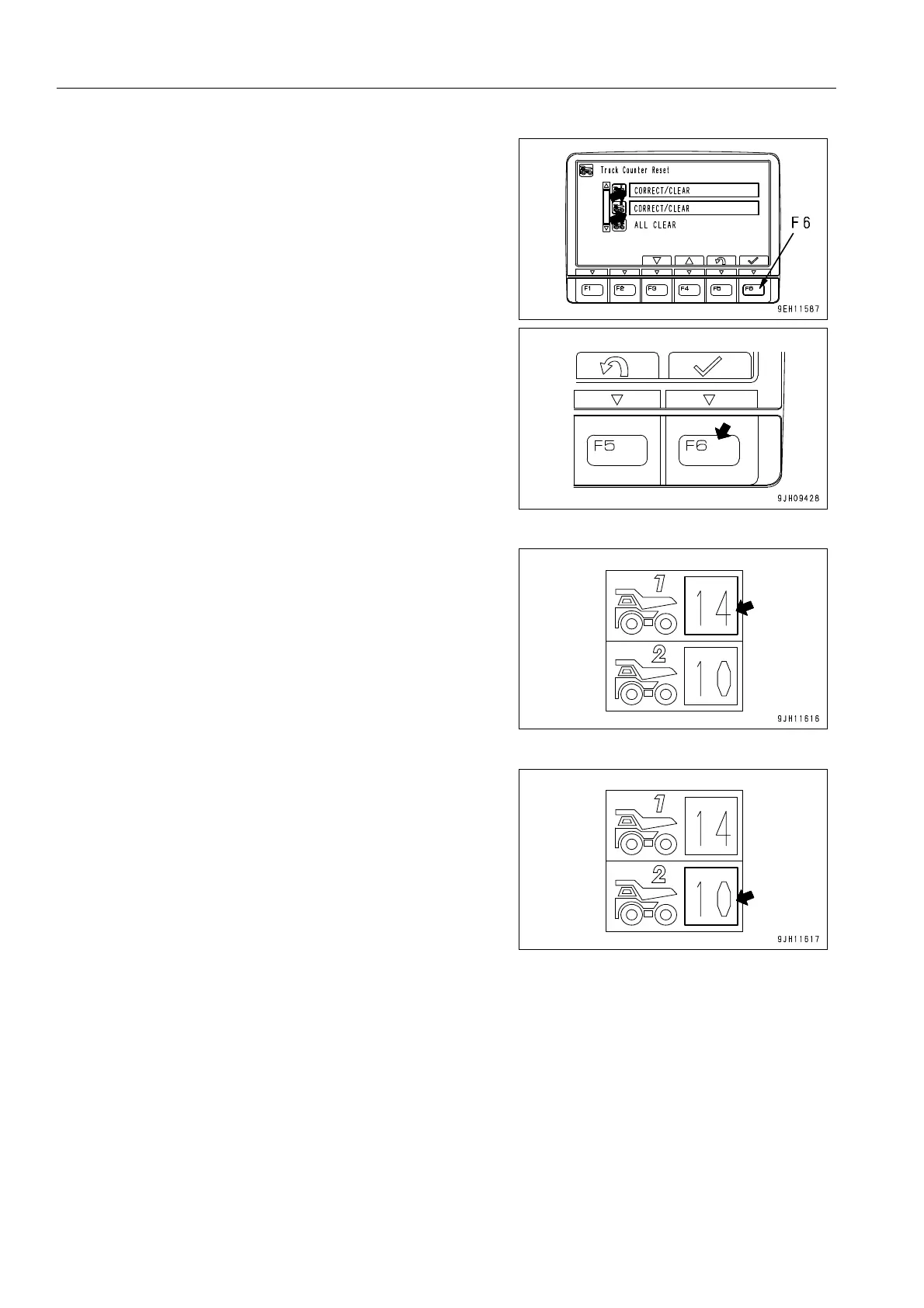
3. Select necessary Item 01 or 02 on the “ Truck Counter
Reset“ screen, then press function switch F6. The screen
switches to the selected item screen.
01: TR1 CORRECT/CLEAR -> Truck Counter Display 1, it
is possible to correct or clear
02: TR2 CORRECT/CLEAR -> truck counter Display 2, it is
possible to correct or clear
q Truck Counter Display 1
q Truck Counter Display 2
4. The operation for correcting or clearing the truck counter is
as follows.




 To Next Page