DETAILED CONTROLS AND GAUGES OPERATION
3-74
q When the fan returns to regular rotation, the screen automatically switches to the initial screen.
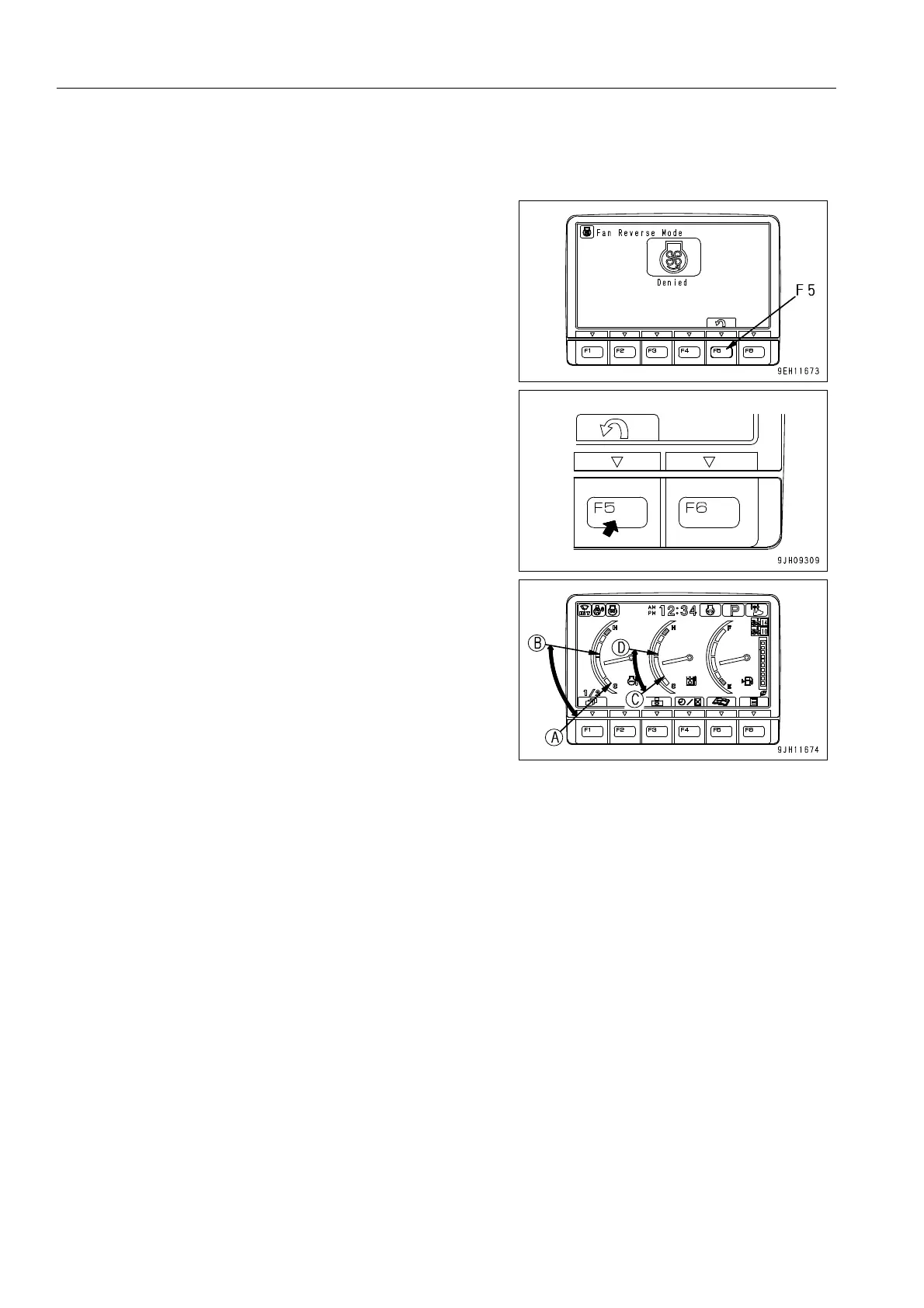
If the screen in Step 1 does not switch to the screen in Step 4,
and the screen switches to a screen like the screen on the right
(red display), the fan may not switch to reverse rotation. This
system is designed to protect the equipment by restricting the
change and not allowing the fan to rotate in reverse if the water
temperature and hydraulic oil temperature do not fill the
required conditions.
If it is desired to rotate the fan in reverse, press function switch
F5 to switch to the initial screen, then run the engine at low
idling or stop the engine to carry out warming-up or cooling
operation.
On the initial screen, if the coolant temperature and hydraulic
oil temperature gauge are in range (A) - (B) or (C) - (D) in the
diagram on the right, it is possible to rotate the fan in reverse.
In this case, follow the procedure from Step 1.
Radiator coolant temperature (A) - (B): Up to 90°C
Hydraulic oil temperature (C) - (D): 20°C - 95°C
When the fan is rotating in reverse, even if the work equipment
is operated, it makes almost no movement. The purpose of
rotating the fan in reverse is to clean the radiator, so when
operating the work equipment to carry out actual operations,
switch the fan back to regular rotation before starting opera-
tions.











 To Next Page