DETAILED CONTROLS AND GAUGES OPERATION
3-30
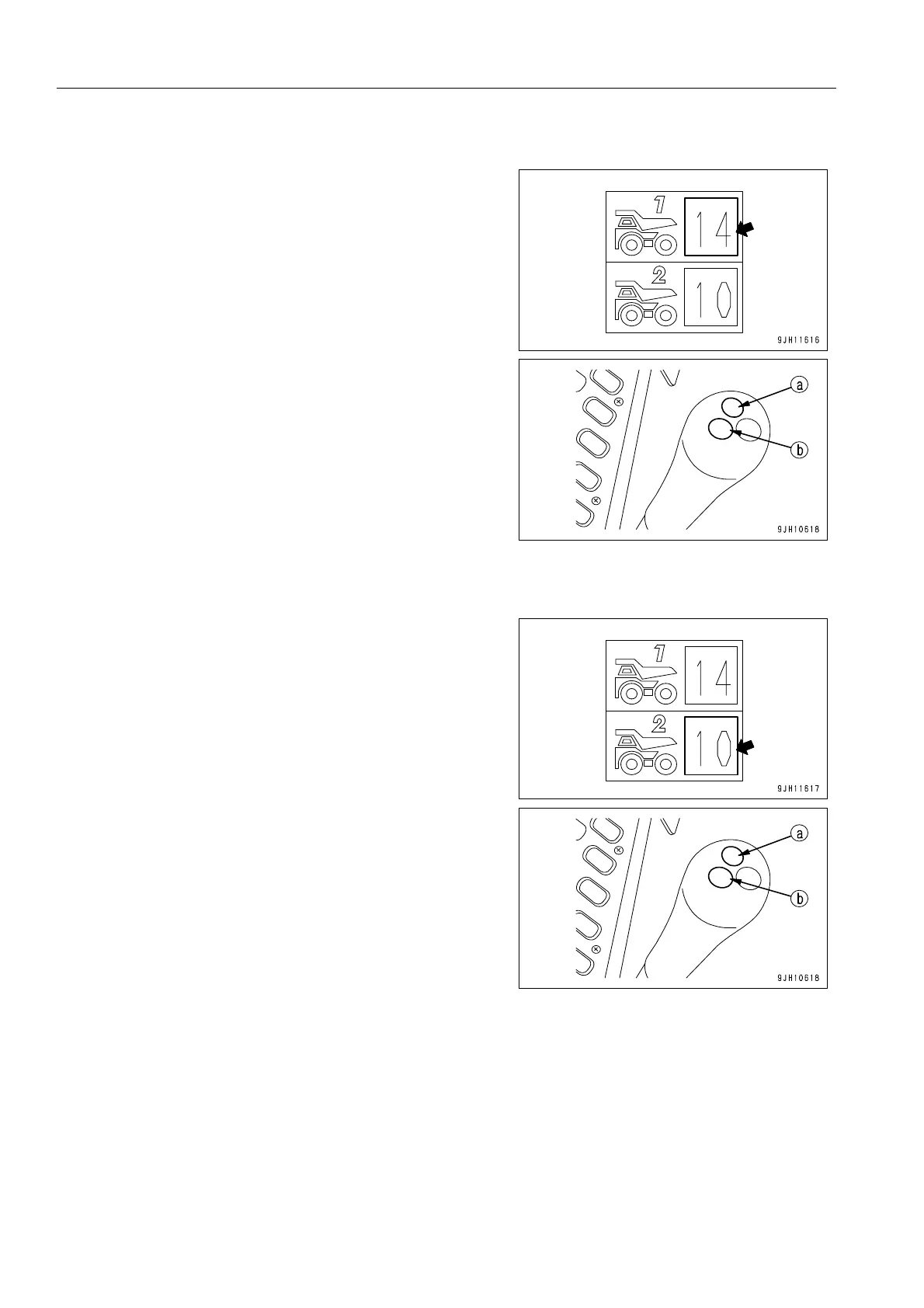
Truck Counter Display 1
This counter display portion (15) shows the number of loads
counted for the truck.
When truck counter switch (a) at the front (as seen from the
front of the machine) on top of the left control lever is pressed,
the count advances. Each time truck counter switch (a) is
pressed, the buzzer emits a sound (peep), so it is possible to
check that the switch has been pressed.
Truck Counter Display 2
This counter display portion (16) shows the number of loads
counted for the truck.
When truck counter switch (b) at the front (as seen from the
front of the machine) on top of the left control lever is pressed,
the count advances. Each time truck counter switch (b) is
pressed, the buzzer emits a peep, so it is possible to check that
the switch has been pressed.
It is possible to divide into truck counters 1 and 2 to distinguish the count according to the size or type of load of
the truck being loaded.
If the switch is pressed too many times by mistake during operations, it is possible to correct the count from the
user menu. For details of the procedure when correcting, see “Truck Counter Reset (3-65)“.
In addition, by keeping switch (a) or (b) pressed for approx. 3 seconds, it is possible to reduce the count by 1.











 To Next Page