5
Specifying printer driver settings
5-32 IC-206
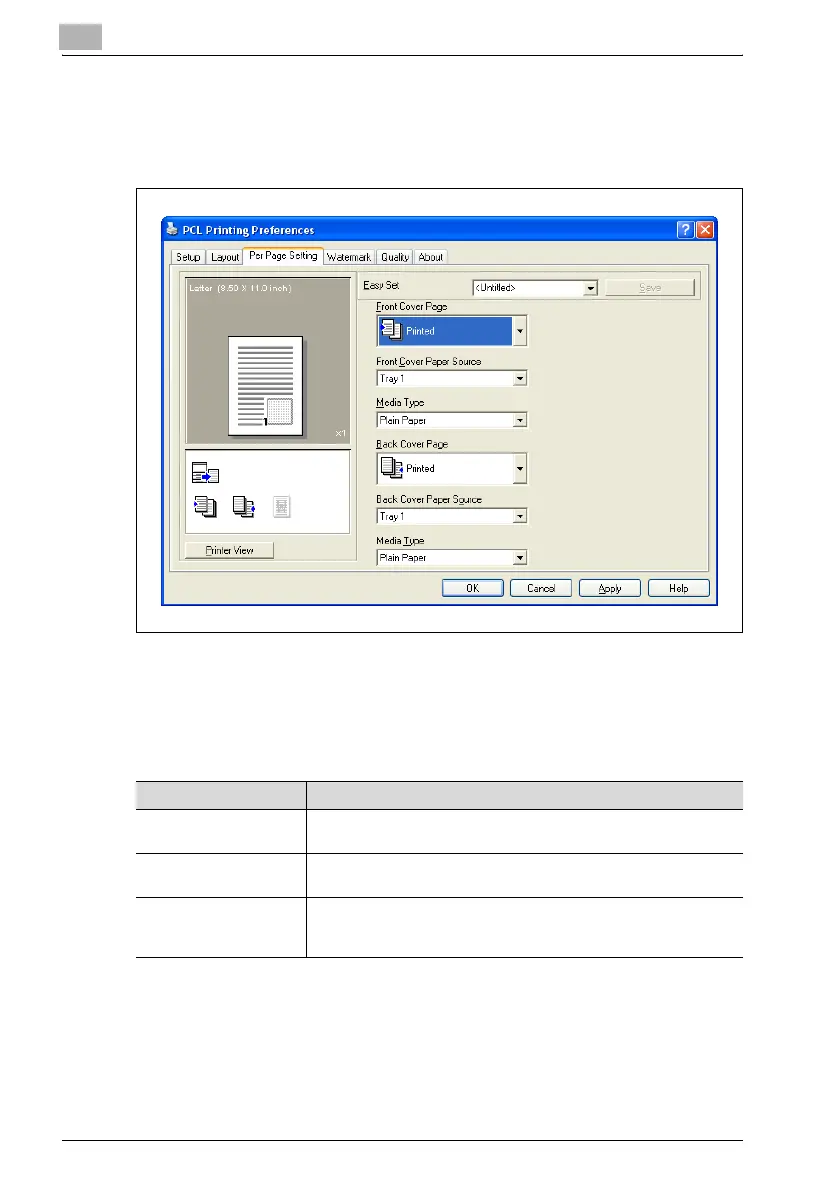
5.6 Per Page Setting tab
% From the Per Page Setting tab, specify whether or not a cover page is
added.
Front Cover Page/Back Cover Page
% Select whether or not a cover page is added and whether or not a
document page is printed on the cover page.
Settings:
Item Description
None No cover page is added, and the entire document is printed on paper
from the same paper drawer.
Blank A blank sheet of paper from the paper drawer specified in the "Front
Cover Paper Source" list is added as a cover page.
Printed The first page of the document is printed on paper from the paper
drawer specified in the "Front Cover Paper Source" list and is added
as a cover page.











 To Next Page