Specifying printer driver settings
5
IC-206 5-41
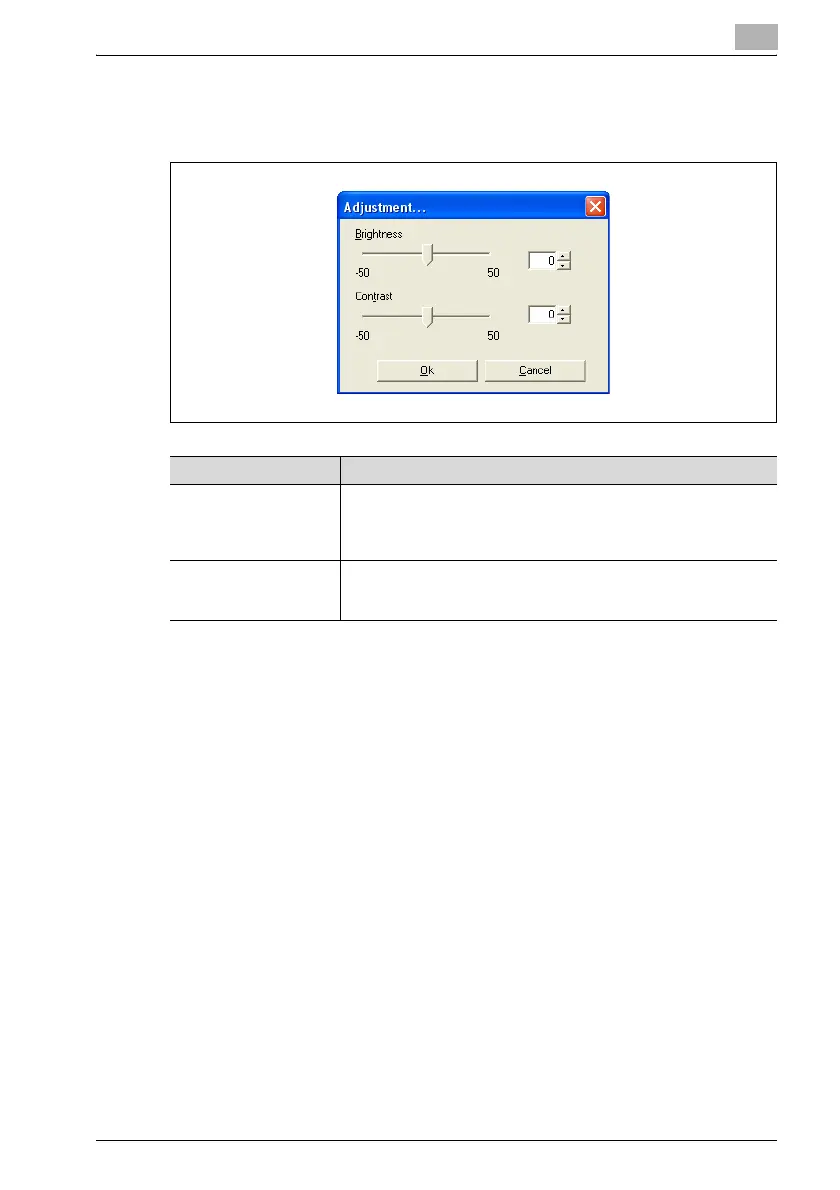
Adjustment
% Click the [Adjustment] button to specify the brightness and contrast.
Font Settings
Settings can be specified to replace the TrueType fonts used in Windows
with the printer fonts installed on this machine.
Font Settings
1 Click the Quality tab.
2 Click the [Font Settings] button.
3 Specify the desired settings.
– Use Printer Fonts:
Select this setting to replace the TrueType fonts with the printer
fonts according to the Font Substitutions table.
Item Description
Brightness Adjust the brightness of the printed image. A setting between -50
and 50 can be specified.
The larger the number, the higher the contrast and the more distinct
the image.
Contrast Adjust the contrast of the printed image. A setting between -50 and
50 can be specified.
The larger the number, the brighter the image.












 To Next Page