Network settings
8
IC-206 8-55
Selecting the authentication method
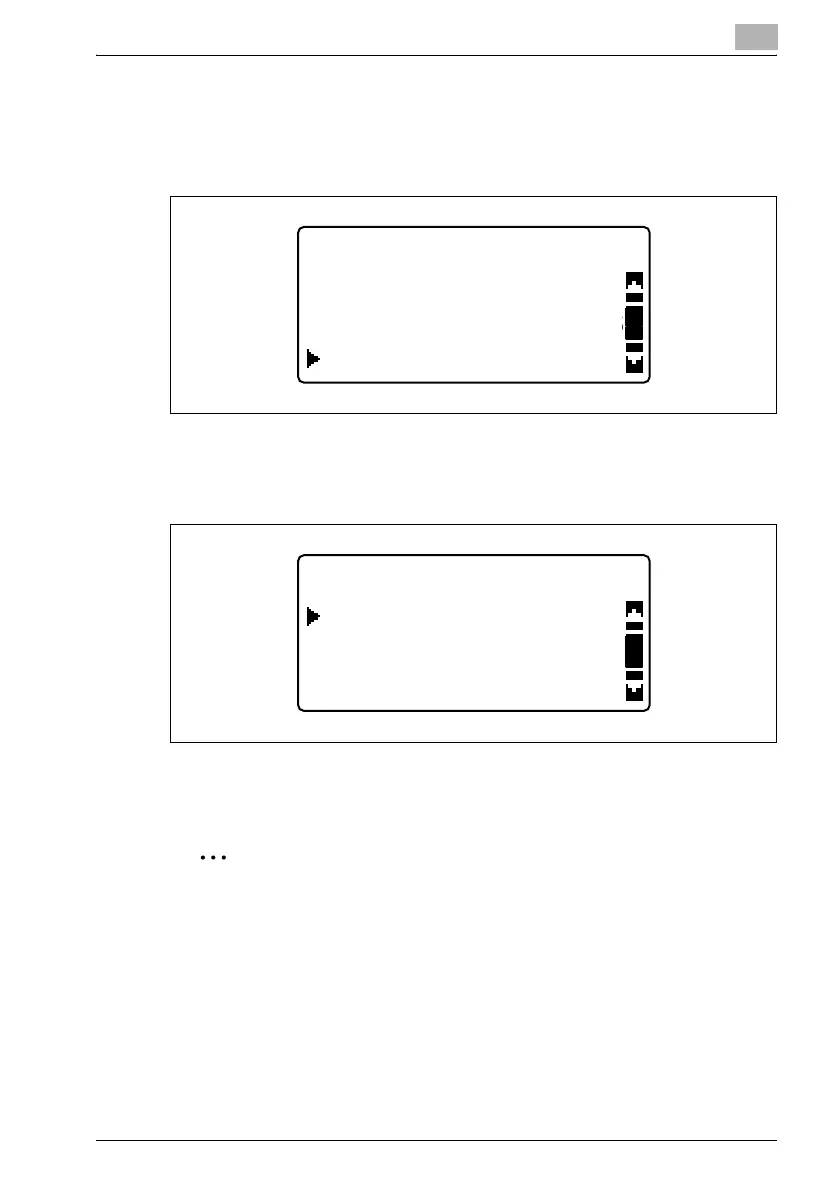
1 In the "LDAP SETTING" menu, press the [+] or [,] key until
"AUTHENTICATION" is selected, and then press the [OK] key.
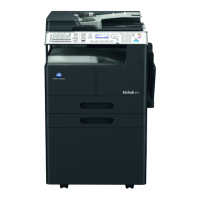
2 Press the [,] or [+] key until "ANONYMOUS", "SIMPLE",
"DIGESTMD5" or "GSS-SPNEGO" is selected as the authentication
method, press the [OK] key.
Regardless of the authentication method that is selected, the message
"ACCEPTED" appears, and then the "LDAP SETTING" menu appears
again.
2
Note
For the authentication method, consult with the network administrator.
The manufacturer’s default setting is "ANONYMOUS".
LDAP SETTING
MAX.SEARCH RESULTS
LDAP TIMEOUT
AUTHENTICATION
AUTHENTICATION
SIMPLE
ANONYMOUS
DIGEST-MD5








 To Next Page