12
Using PageScope Web Connection
12-26 IC-206
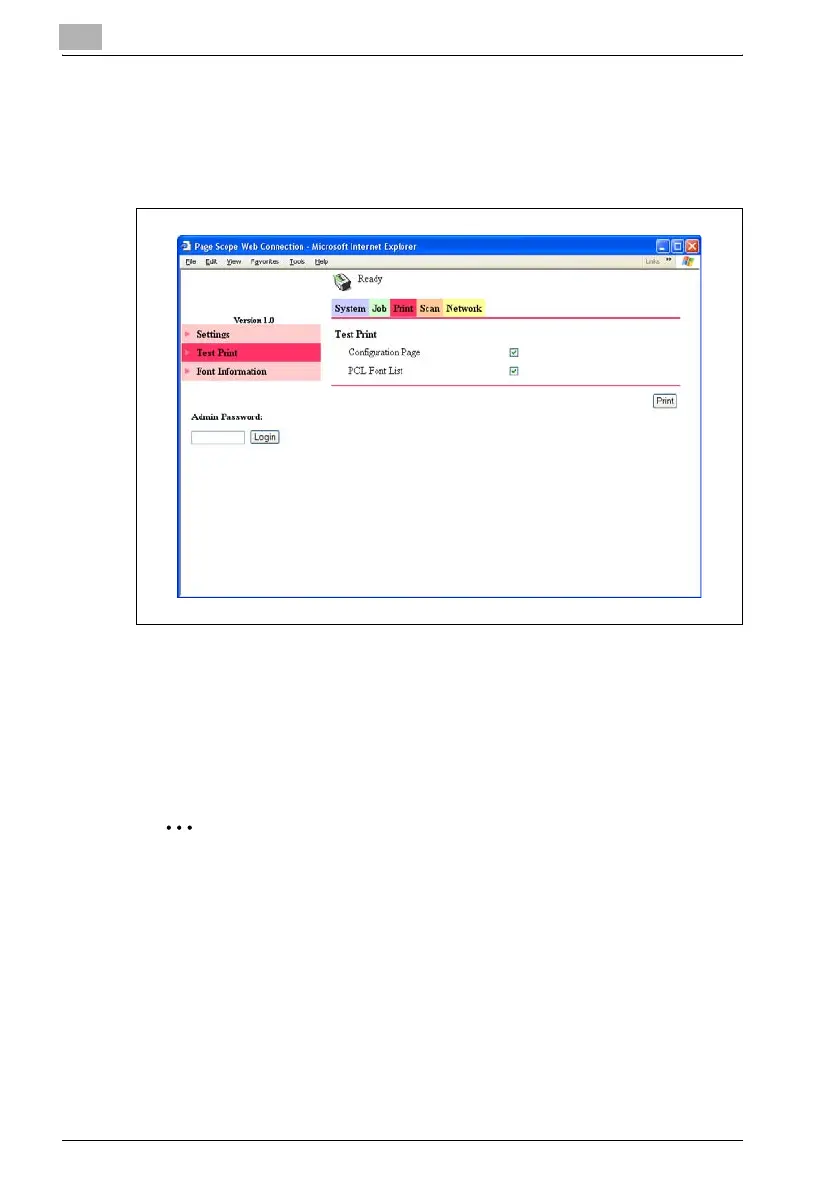
Print tab — Test Print
The following test pages can be printed.
- Configuration Page
- PCL Font List
1 Click "Test Print" in the menu on the Print tab.
2 Select the test page that you wish to print.
3 Click the [Print] button.
The selected test page is printed.
2
Note
The Print tab appears only if the image controller IC-206 is installed.












 To Next Page