2
Getting ready
2-16 IC-206
2.4 Connecting to a local area network (LAN)
This machine can transmit with the TCP/IP protocol on a LAN. Therefore, this
machine must be connected to the LAN with a network cable.
Connecting the network cable
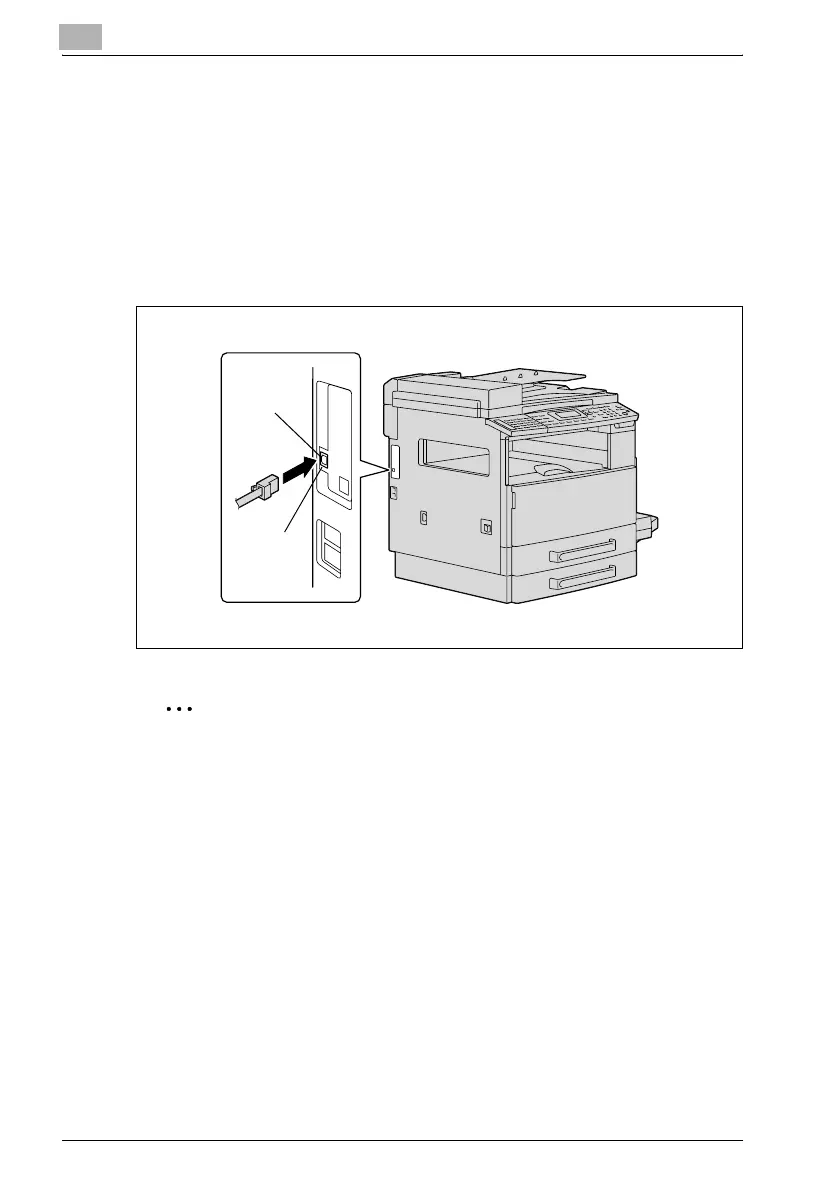
Insert one plug on the network cable into the network port (LAN) on the left
side of the machine, and then insert the other plug into an available port on
the network hub.
2
Reminder
The network cable is not included with this machine; therefore, use
Category 5 or 5e cable for the network cable.
Network port LEDs
LED1 (LINK): This indicator lights up when the network cable is correctly
connected. If this indicator does not light up, even if it is assumed that the
cable is correctly connected, check the connection again. If this indicator still
does not light up, even though both ends are correctly connected, the
network cable may damaged.
LED2 (ACT): This indicator flashes while data is being sent or received.
LED1
LED2











 To Next Page