5
Specifying printer driver settings
5-36 IC-206
4 Specify the desired settings.
– Font: Select the font for the watermark. Any font installed on the
computer can be selected.
– Bold: Select to use bold text.
– Italic: Select to use italic text.
– Size: Specify a character size between 7 and 300 points.
– Angle: Specify the angle that the text is printed on the paper. A
setting between 0° and 359° can be specified.
– Darkness: Specify the density of the text. A setting between 10%
and 100% can be specified.
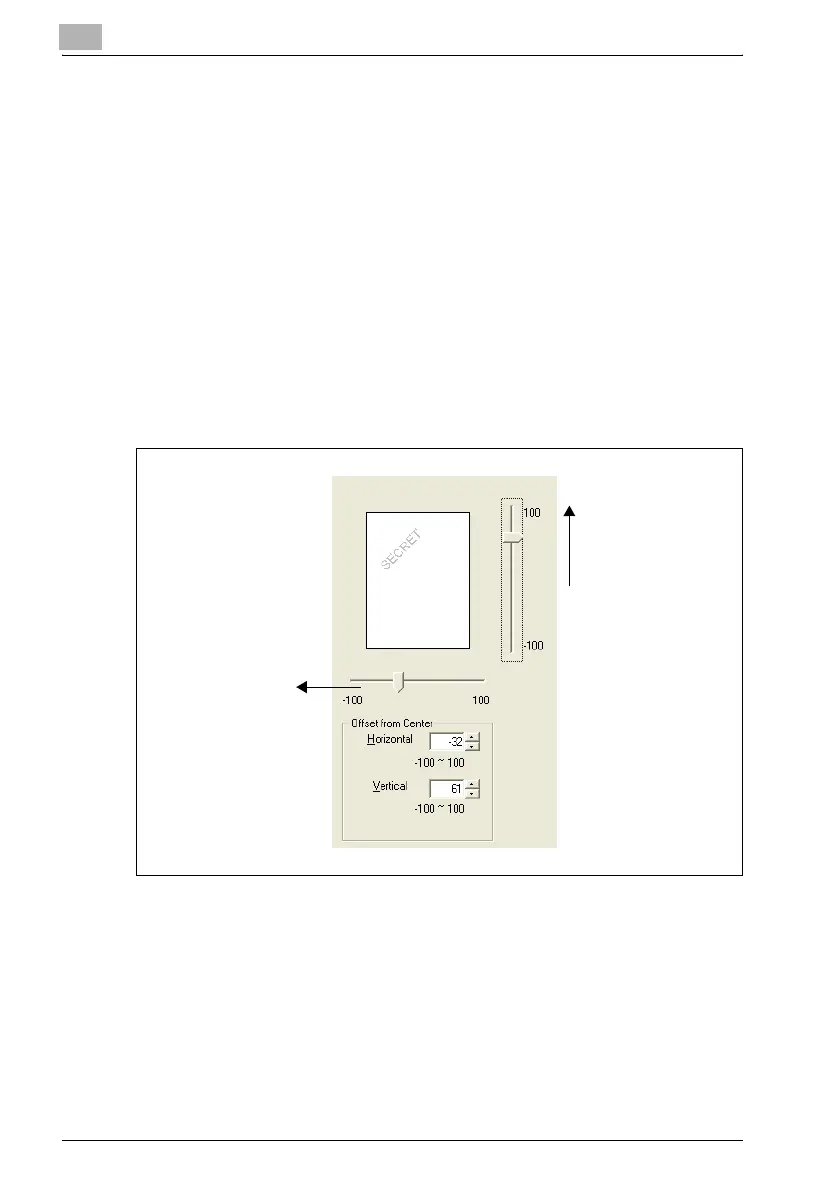
– Offset from Center: Specify the horizontal and vertical positions for
the location where the text is to be printed. Settings between -100
and 100 can be specified.
– The position can also be changed by using the sliders below and to
the right of the preview image.
5 Click the [Add] button.
The watermark is added to the "Watermark Select" list.
Horizontal direction:
Reducing the number
moves the text to the
left.
Vertical direction:
Increasing the number
moves the text up.












 To Next Page