Creating a Device Description
6-8 Print Server Installation Manual
10. Enter the following parameters into the mask:
TRANSFORM *YES
MFRPRTYMDL *HP4
PRTCVT *YES
11. Press the page down key to change to the next screen.
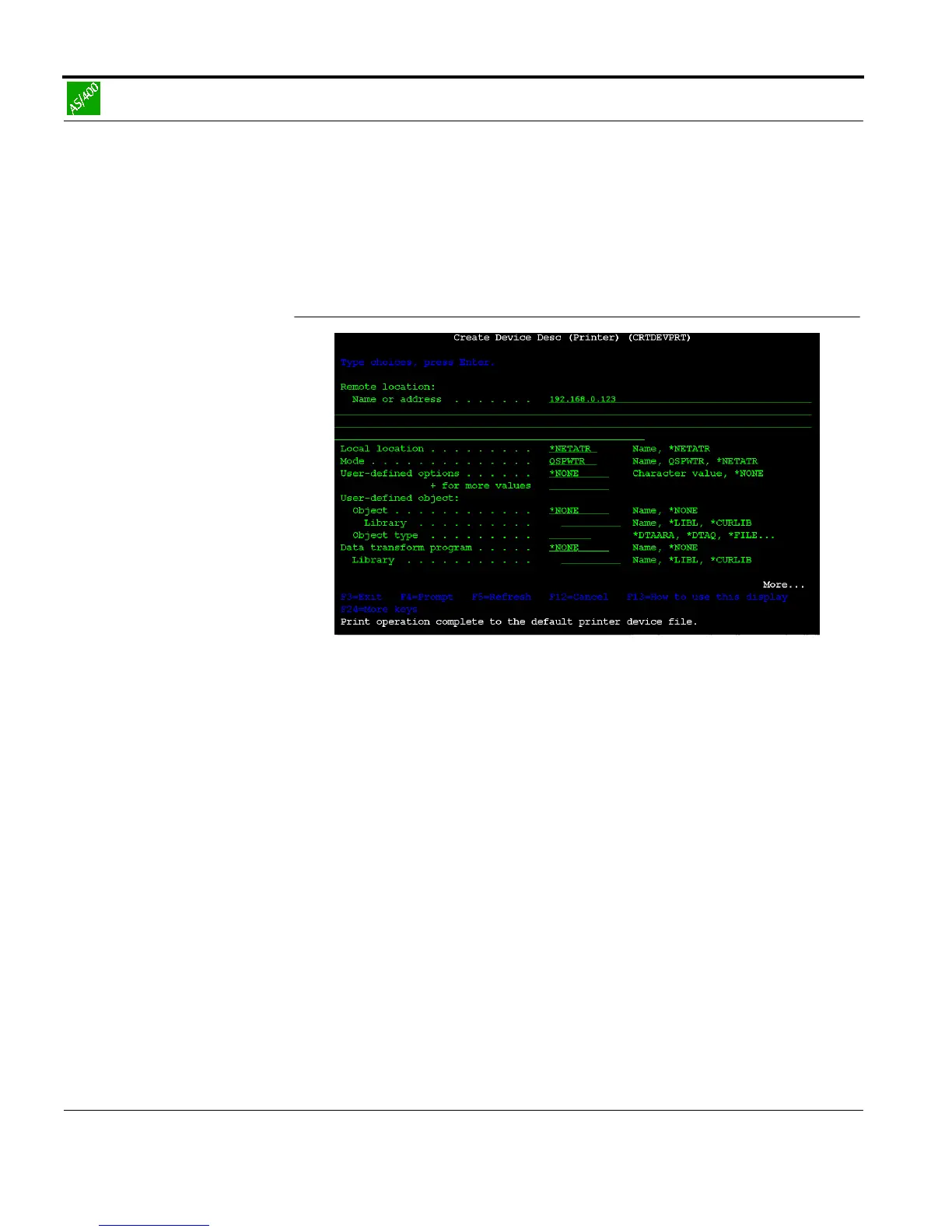
Fig. 6-5: 'Create Device Description' window Part 5
12. Enter the following parameters into the mask:
RMTLOCNAME <IP address of the print server>
e.g. 192.168.0.123
6.2.3. Starting the Printer
Procedure Proceed as follows:
1. Enter the STRPRTWTR command at the system console:
Syntax: STRPRTWTR DEV <Name of the device descr.
Example: STRPRTWTR DEV MY_DEVICE
The following window appears:



 To Next Page