Installing in NetWare 5 Networks with NDPS Gateways
2-26 Print Server Installation Manual
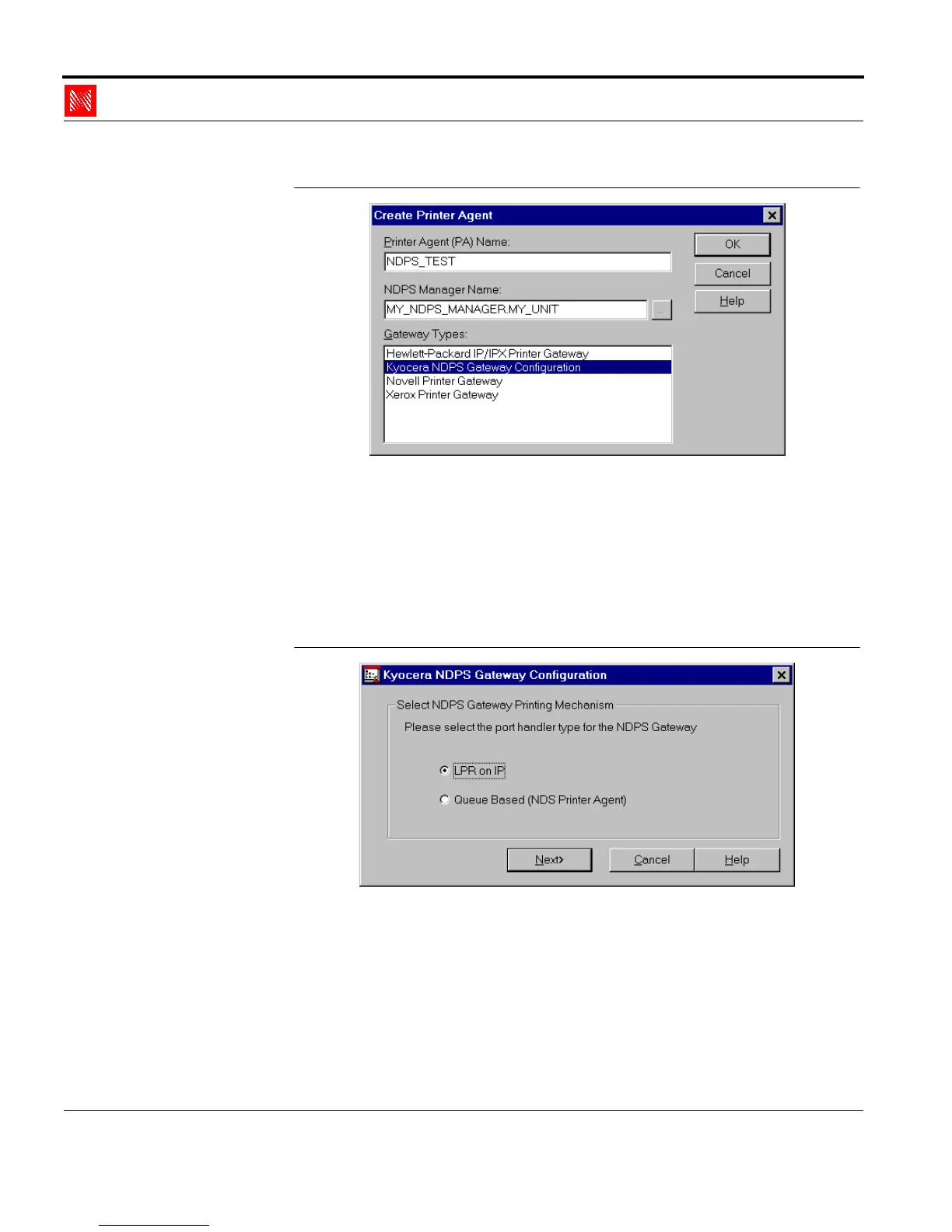
Fig. 2-14: Window 'Create Printer Agent'
4. Enter an arbitrary name in the 'Printer Agent' box.
5. Select the KYOCERA NDPS Gateway from the list of
gateway types.
6. Click 'OK' to confirm.
The following window appears:
Fig. 2-15: Window 'KYOCERA NDPS Gateway Configuration'
7. Select 'LPR on IP' as your protocol.
8. Click 'Next>.'
The following window appears:



 To Next Page