Installing in Novell NetWare 3.x Networks in Remote Printer Mode
Print Server Installation Manual 2-51
FTP parameter transfer. In this section, configuration using the
KyoNetCon is described. If you wish to use the print server
homepage, please read the "Configuring Novell NetWare" section
on page 3-10 of the User Manual. If you wish to use FTP
parameter transfer, please read the "Configuring Parameters Via
FTP" section on page B-13 of the User Manual.
Procedure Proceed as follows:
1. Start the KyoNetCon.
2. Double-click the print server in the print server list.
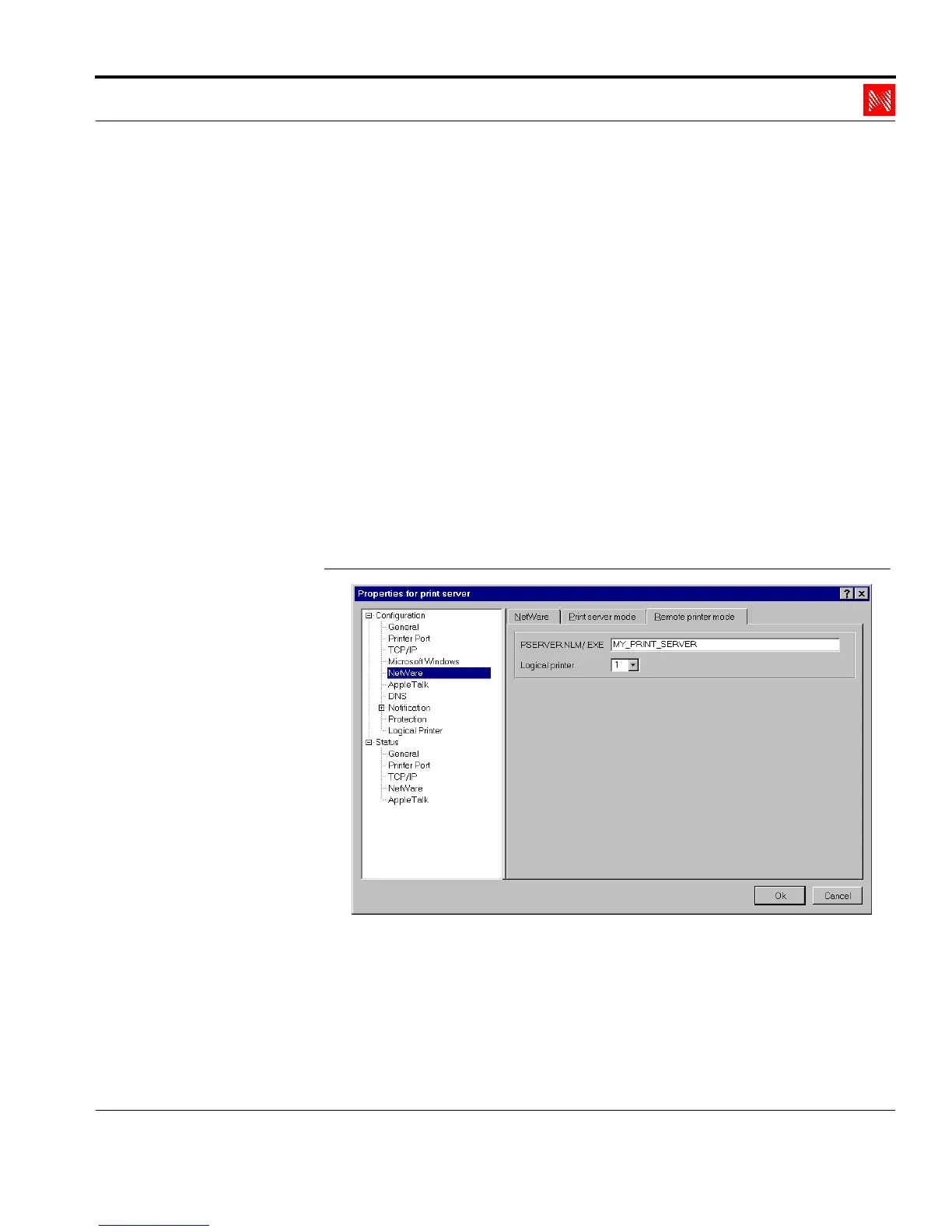
3. Select 'NetWare' in the left frame.
4. Select the 'Remote printer mode' tab.
The following window appears:
Enter PSERVER
Name
Fig. 2-45: Enter the PSERVER name
5. Enter the PSERVER name into the 'PSERVER.NLM/.EXE'
box.
Example: MY_PRINT_SERVER



 To Next Page