Installing in NetWare 5/4 Networks in Remote Printer Mode
Print Server Installation Manual 2-15
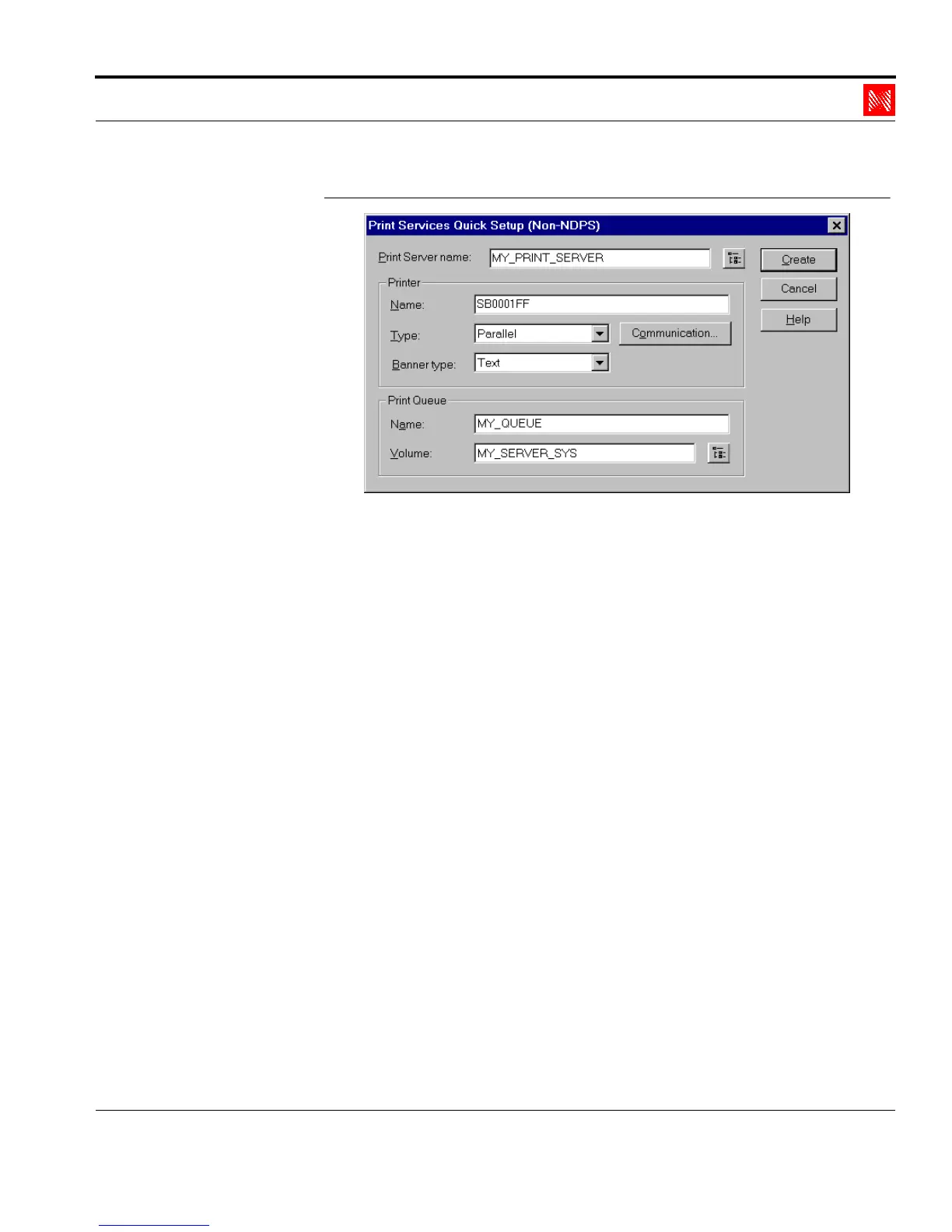
Fig. 2-7: Window 'Print Services Quick Setup (not NDPS)'
4. Enter an arbitrary name for the print server in the 'Print Server
Name' box.
MY_PRINT_SERVER
5. Enter the name of the print server in the 'Printer Name' box.
Syntax: SBxxxxxx
Example: SB0001FF
6. Enter an arbitrary name in the 'Print Queue Name' box.
MY_QUEUE
7. If necessary, select the correct volume.
8. Click 'Create.'
The tree looks as follows:



 To Next Page