Basic TCP/IP Terminology
Print Server Installation Manual 1-7
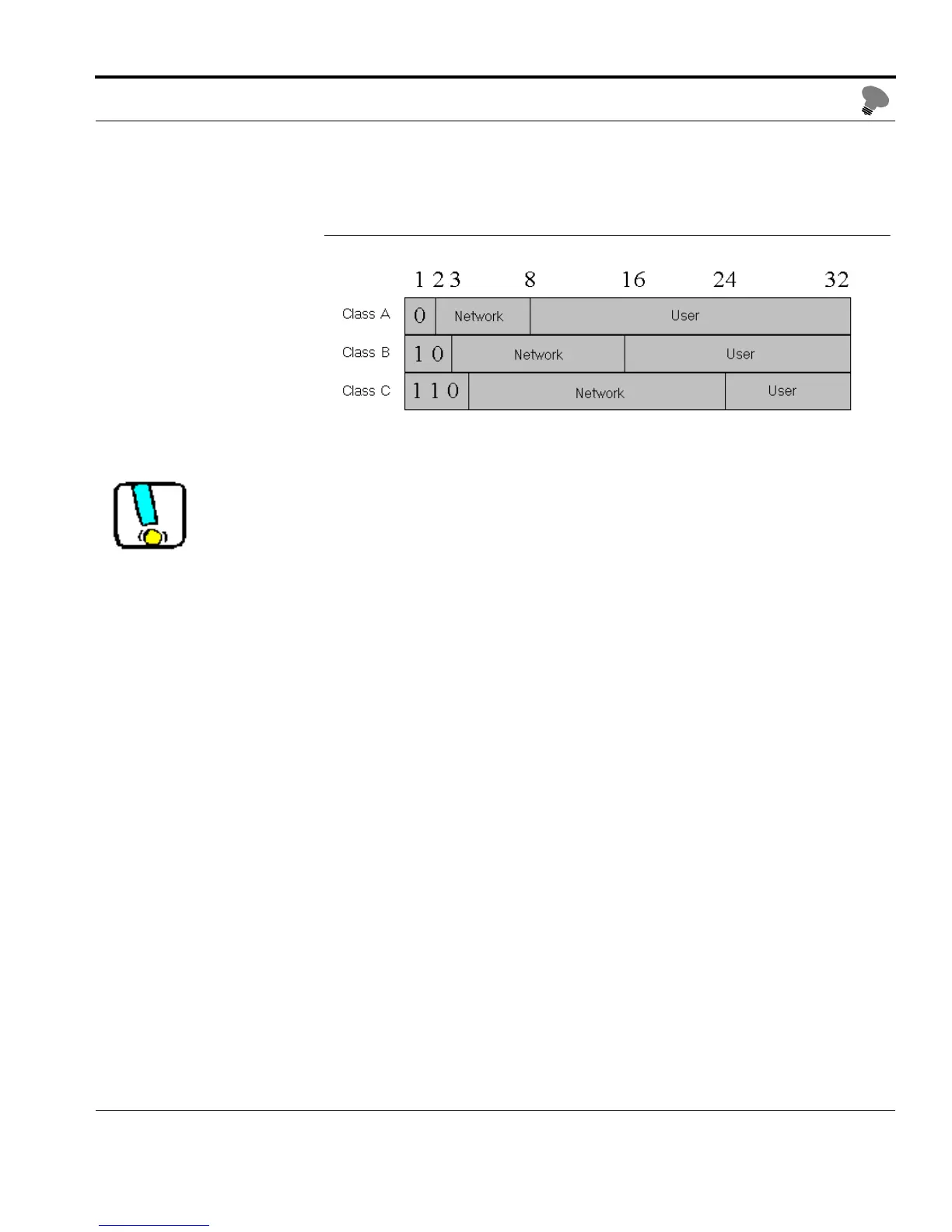
The following network classes can be distinguished:
Fig. 1-1: TCP/IP network classes
All IP addresses assigned in a logical network must belong to the
same class.
Example You have applied for a class C network ID and receive network ID
'192.168.0.' Due to the fact that user IDs '0' and '255' are reserved
for broadcast addresses, a valid IP address must lie somewhere
between '192.168.0.1' and '192.168.0.254', such as
'192.168.0.123.'
1.2.2. Methods of Saving the IP Address in the Print Server
If you use TCP/IP as the network protocol, the IP address must
first be saved in the print server, regardless of whether you are
using a Windows or UNIX network.
In this manual, the printer operating panel is always used for
saving the IP address. If your network uses boot protocols, they
should preferably be used to save the IP address. This guarantees a
network-wide, consistent IP address usage and eliminates a
potential source of errors.



 To Next Page