Installing in NetWare 5/4 Networks in Print Server Mode
2-8 Print Server Installation Manual
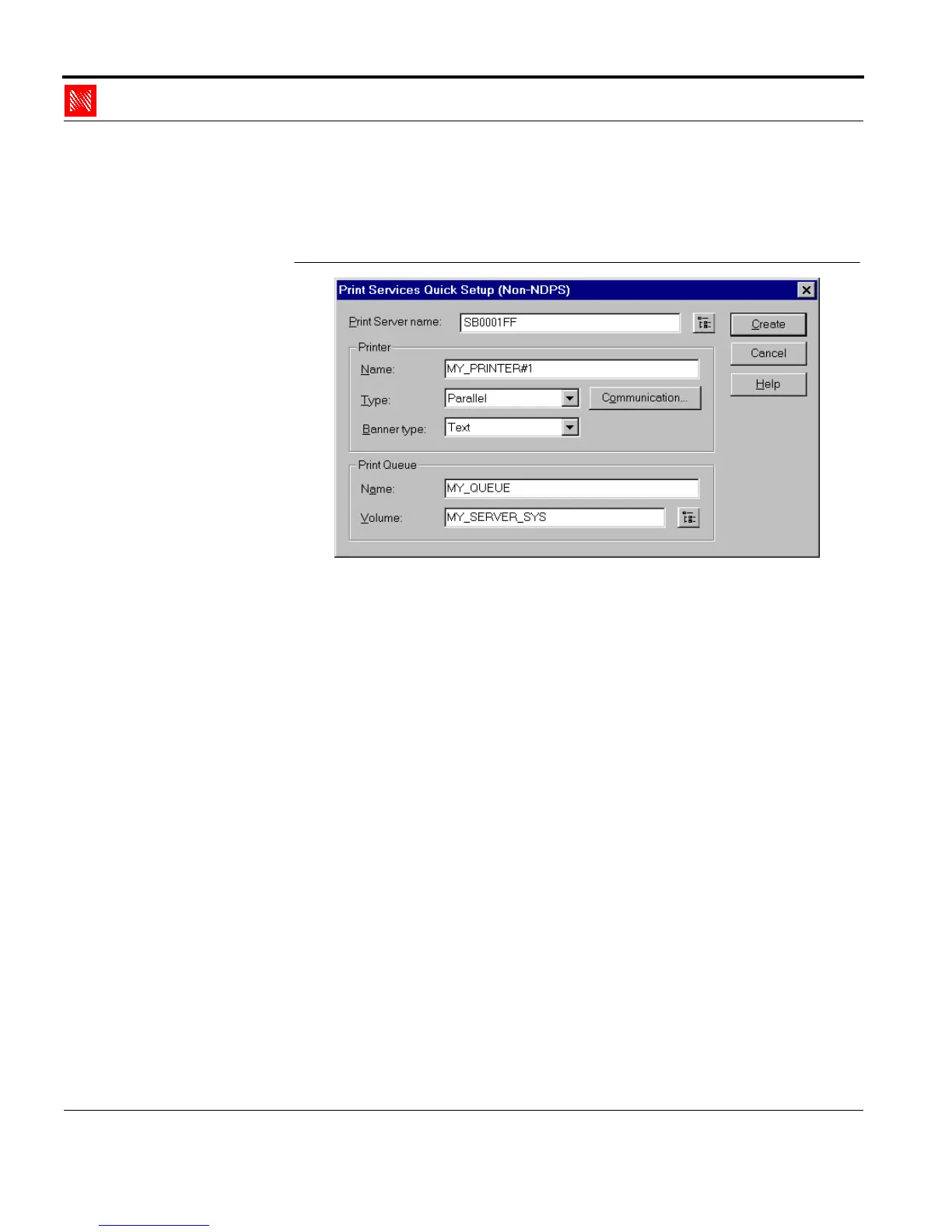
3. Choose menu item 'Printer Services Quick Setup (not NDPS)'
in the 'Tools' menu.
The following window appears:
Fig. 2-2: Window 'Print Services Quick Setup (not NDPS)'
4. Enter the print server name in the 'Print Server Name' box.
Syntax: SBxxxxxx
Example: SBxxxxxx
Here, you may also use the Novell name of the print server if
you assign it using the print server homepage, the KyoNetCon
or the FTP parameter transfer.
5. Enter an arbitrary name and a logical printer in the 'New
Printer' box.
Syntax: <Printer Name>#1 - #8
Example: MY_PRINTER#1
The logical printers are defined using extensions #1 - #8. If no
logical printer is defined, all print data is automatically routed
to logical printer #1.
6. Enter an arbitrary name in the 'New Print Queue' box.
Example: MY_QUEUE
7. If necessary, select the correct volume.



 To Next Page