Printing via the LPD Protocol
Print Server Installation Manual 4-17
! The IP address has been saved in the print server.
! The host name has been assigned to the IP address.
! The print server is connected, and the printer is turned on.
Procedure for SAM Proceed as follows:
1. Start the SAM Administration Tool.
2. Click 'Printers and Plotters.'
3. Click 'LP Spooler.'
4. Click 'Printers and Plotters.'
5. Select the 'Add Remote Printer/Plotter...' submenu on the
'Actions' menu.
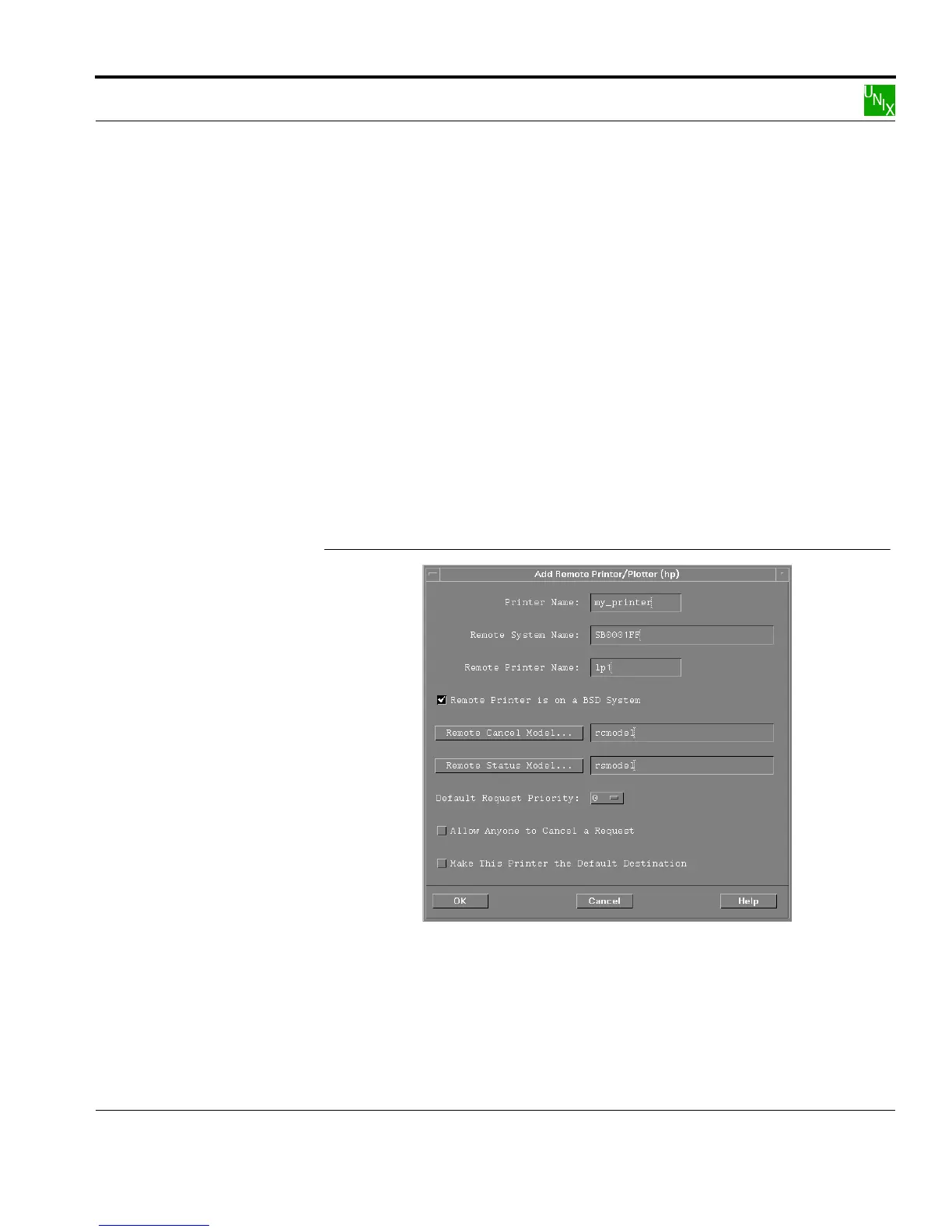
The following window appears:
Add Remote Printer
Fig. 4-1: 'Add Remote Printer/Plotter' window
6. Enter an arbitrary printer name into the 'Printer Name' box:
Example: my_printer



 To Next Page