Installing in Windows 98 and 95 Networks (KYOCERA Monitor)
Print Server Installation Manual 3-17
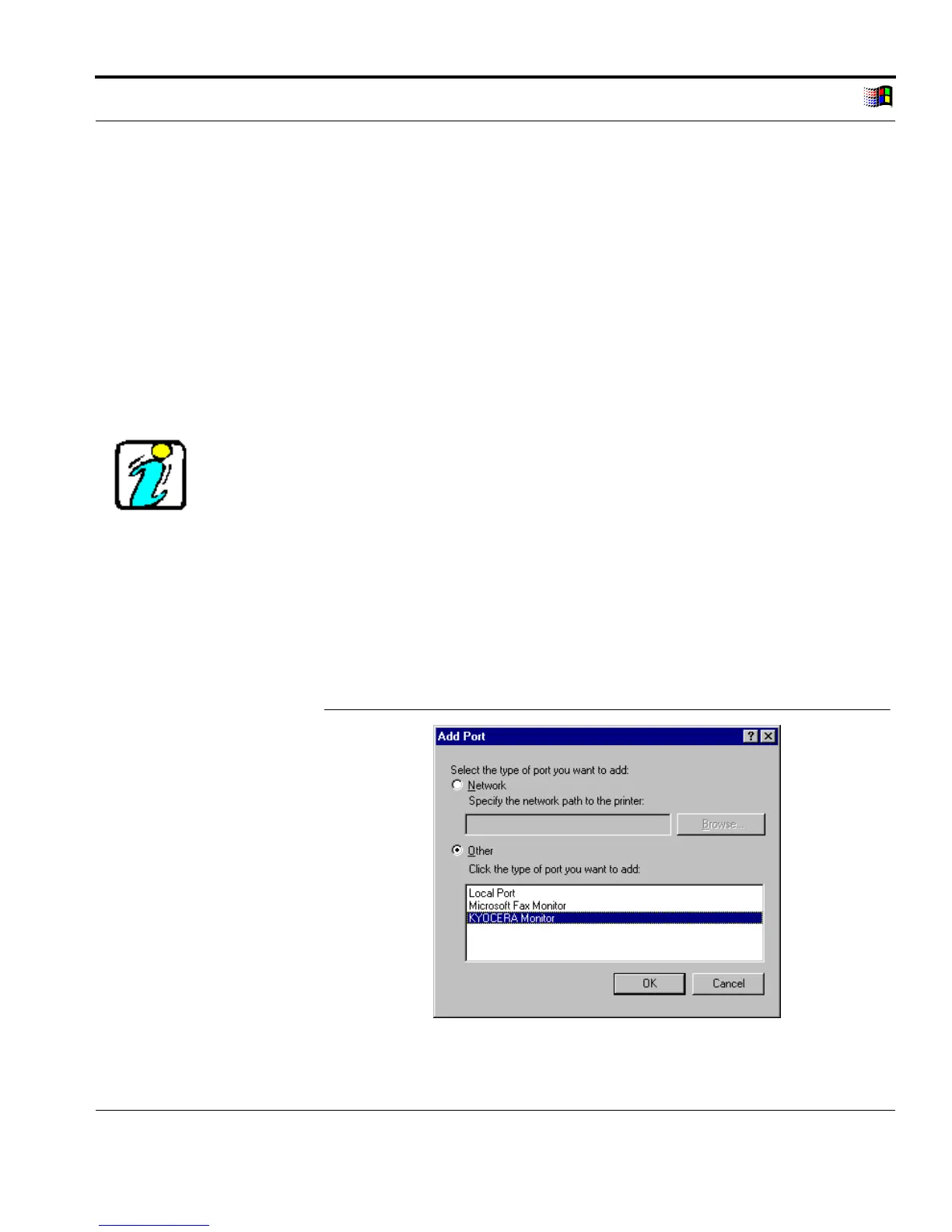
3.4.5. Setting Up the KYOCERA Monitor
The KYOCERA Monitor is set up by adding a printer port. The
host name of the print server or the IP address and the TCP/IP port
number must be entered. The different logical printers are
addressed using the port number. TCP/IP port 9100 is the default
setting and corresponds to the logical printer lp1 setting. Please
read the "TCP/IP Ports" section on page 1-15 if necessary.
If you use a host name, please make sure that this host name has
been assigned beforehand. Please read the "Host Name" section on
page 1-13 if necessary.
Procedure Proceed as follows:
1. Select 'Properties' on the printer shortcut menu.
2. Select the 'Details' tab.
3. Select 'Add Port...'
The following window appears:
Add Port
Fig. 3-7: 'Add Port' window



 To Next Page