Installing in Novell NetWare 3.x Networks in Remote Printer Mode
2-48 Print Server Installation Manual
Printer Configuration
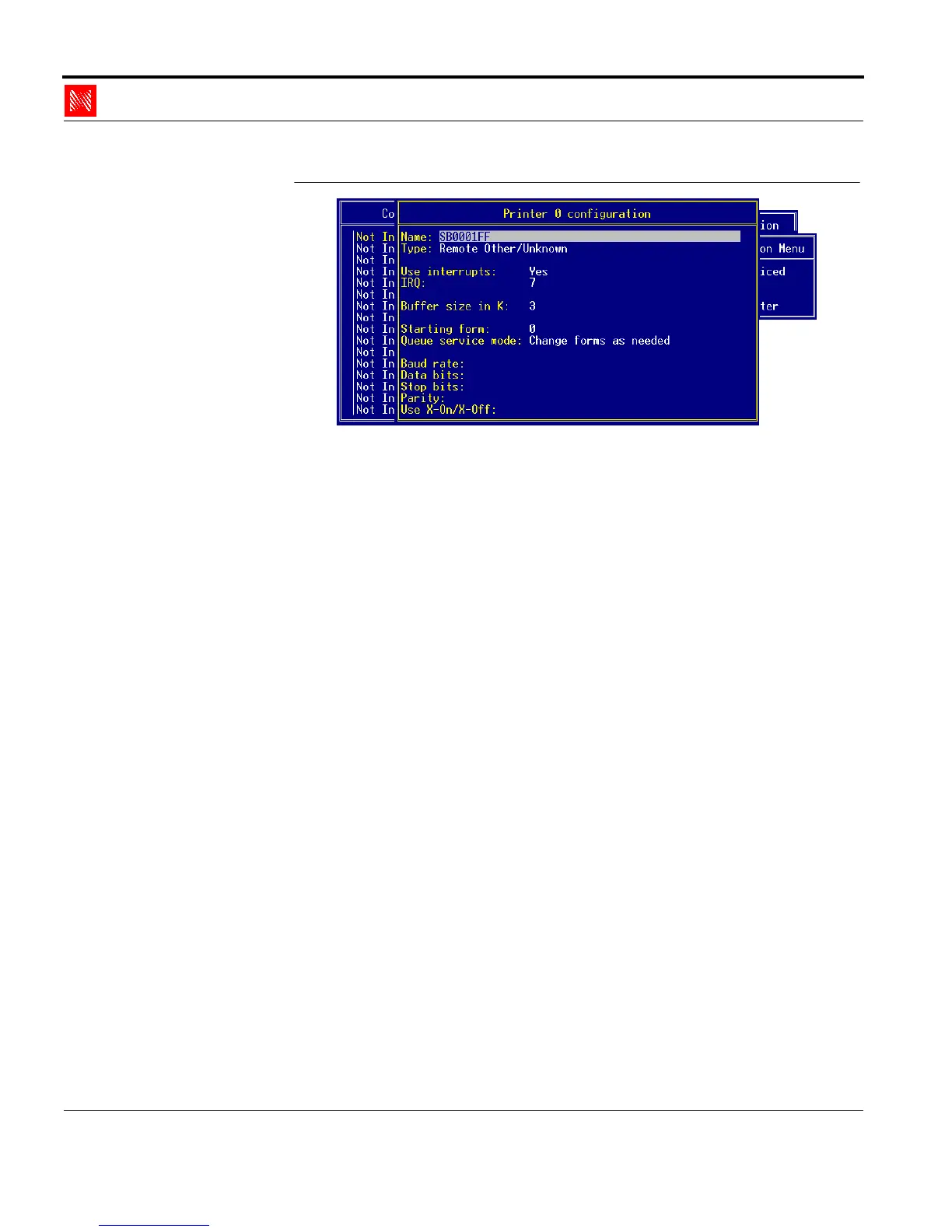
Fig. 2-39: 'Printer Configuration' window
4. Enter the print server name into the 'Name:' box.
Syntax: SBxxxxxx
Example: SB0001FF
Here you may also use the Novell name of the print server if
you assign this name using the print server homepage, the
KyoNetCon, or FTP parameter transfer.
5. Enter 'Remote Other/Unknown' into the 'Type' box.
6. Press ESC.
7. Confirm the security query.
8. Press ESC.
2.6.4. Allocating the Print Queue
The print queue must be assigned to a remote printer.
Procedure Proceed as follows:
1. Select the new print server.
The following window appears:



 To Next Page