Creating an Output Queue
6-12 Print Server Installation Manual
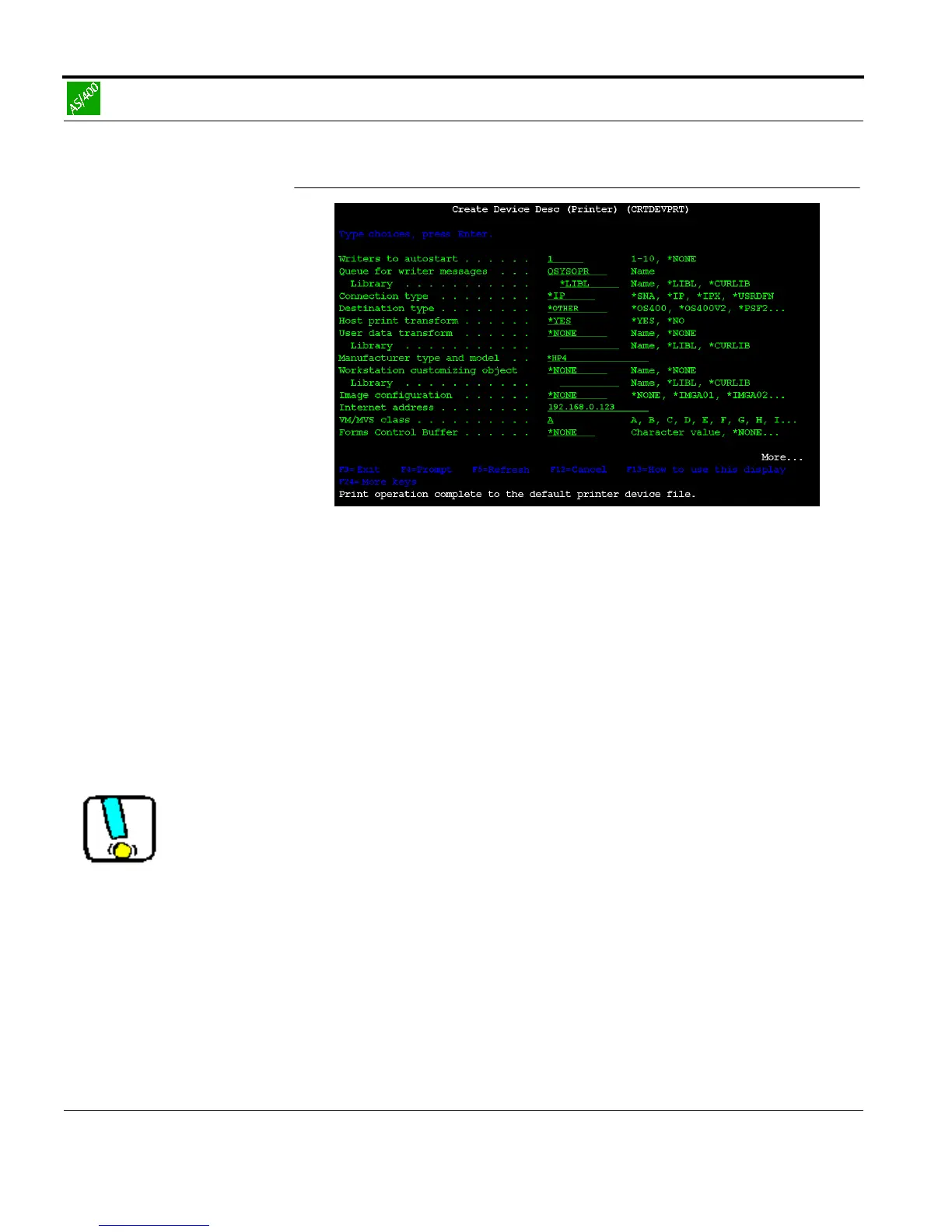
Fig. 6-8: 'Create Output Queue' window Part 2
6. Enter the following parameters into the mask:
AUTOSTRWTR1
CNMTYPE *IP
DESTTYPE *OTHER
TRANSFORM *YES
MFRTYPMDL *HP4
INTNETADR <IP address of the print server>
e.g. 192.168.0.123
*HP 4 may also be entered under MFRTYPMDL as emulation for
the printer type if the printer supports PCL5.



 To Next Page