16 WEB BROWSER
169
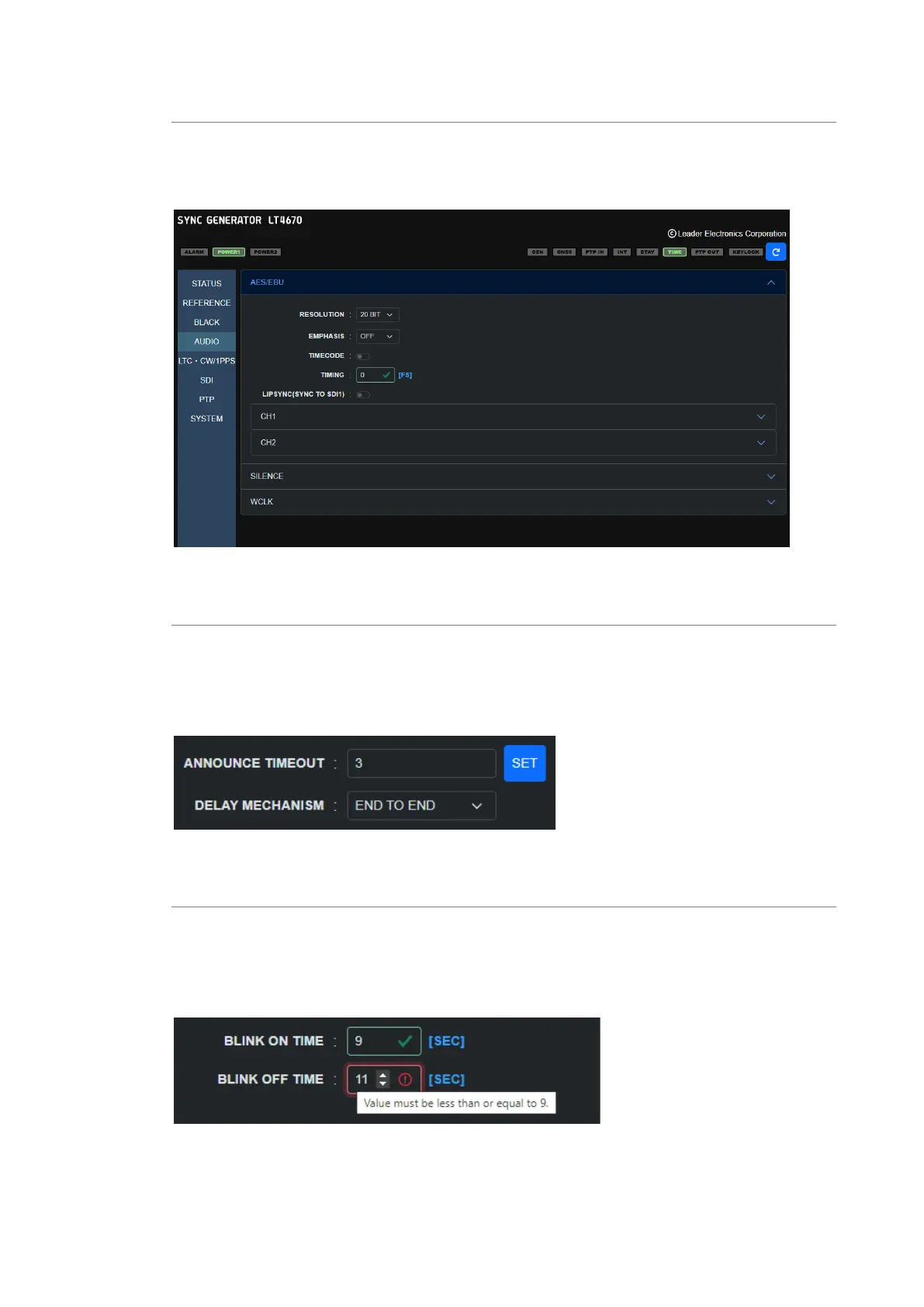
Expanding the setting items
Some items of the setup screen have a hierarchical structure.
Immediately after you select a menu, all the items appear with their hierarchy shrunk. You can
expand an item by clicking the "V" mark next to the title.
Figure 16-5 | Expanding the setting items
Setting values
Some setting items have the SET button, and some don't.
If you change the value of an item that has the SET button, the changed value is applied when
you click the SET button.
If the item does not have the SET button, the changed value is applied immediately.
Figure 16-6 | Setting values
Entering values
To enter a value, use the ▲ and ▼ buttons or enter a value directly.
When the value is within the specified range, a green check mark appears. If the value is
outside the range, a red warning mark appears. If the red warning mark appears, the value is
not applied. Enter a valid value.
Figure 16-7 | Entering values



 To Next Page