6 BASIC OPERATION
52
6.2.5 PTP mode (SER03)
1. Setting
In the REFERENCE CONFIG menu, set REFERENCE SOURCE to PTP1, PTP2, or PTP1/2. In
the following example, it is set to PTP1.
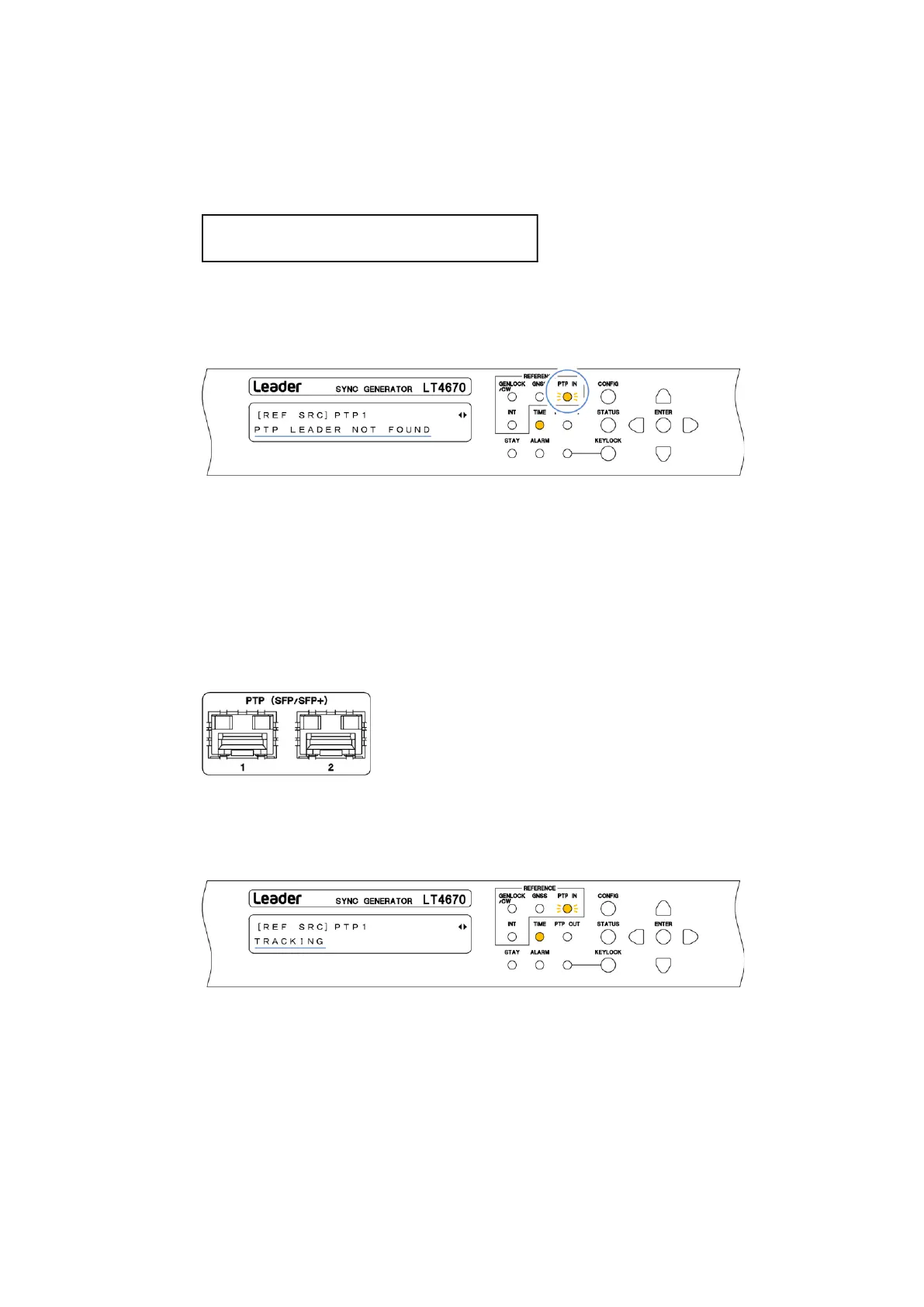
When you set REFERENCE SOURCE to PTP1 or PTP2, PTP IN on the front panel blinks in
orange, and under "STATUS > INFORMATION > REF SRC", "PTP FOLLOWER AGING" > "PTP
LEADER NOT FOUND" appears. From now on, this screen is used for explanation.
2. Input of a reference signal
Apply PTP signals to PTP connectors on the rear panel.
Mount and use one of the SFP and SFP+ modules listed below, which are sold separately.
You can connect and disconnect the SFP and SFP+ modules with the power turned on.
・SFP RJ-45 (LC2141/LC2142)
・SFP+ MULTI-MODE (LC2148)
・SFP+ SINGLE-MODE (LC2149)
When you apply the signal, the message changes to "PTP ADJUST FREQ" > "PTP ADJUST
PHASE" > "TRACKING" in this order, and the reference signal is introduced. Wait in this
state.



 To Next Page