4 PANEL DESCRIPTION
30
4 PANEL DESCRIPTION
4.1 Front Panel
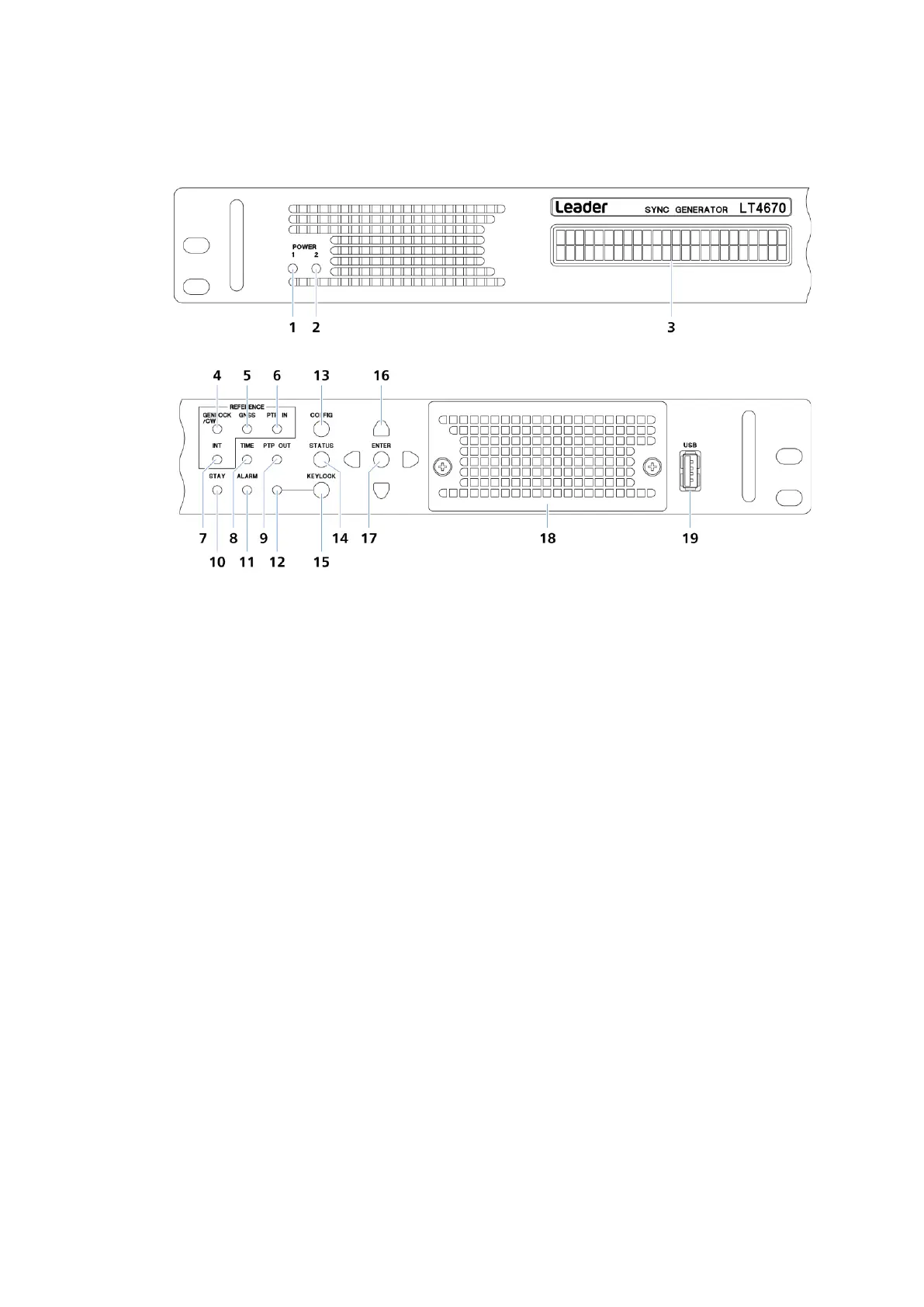
Figure 4-1 | Front panel
1 POWER 1
Lights in green when POWER1 is on.
Lights red in the following cases.
・When an error occurs in the POWER1 fan
・When the power supply is redundant and an error occurs on POWER1
・When the power supply is redundant and POWER1 is off
[See also] "5.1 Turning the Power On"
2 POWER 2 (SER11)
Lights in green when POWER2 is on.
Lights red in the following cases.
・When an error occurs in the POWER2 fan
・When the power supply is redundant and an error occurs on POWER2
・When the power supply is redundant and POWER2 is off
[See also] "5.1 Turning the Power On"
3 LCD panel
Displays various information.



 To Next Page