17 MAINTENANCE
189
17.2.1 Power Supply Unit Replacement
To replace the power supply unit, follow the procedure below.
If you have two power supply units installed, you can replace one of them with the power
turned on.
The following procedure is an example in which you have two power supply units installed and
replace POWER1 with the power of POWER2 on.
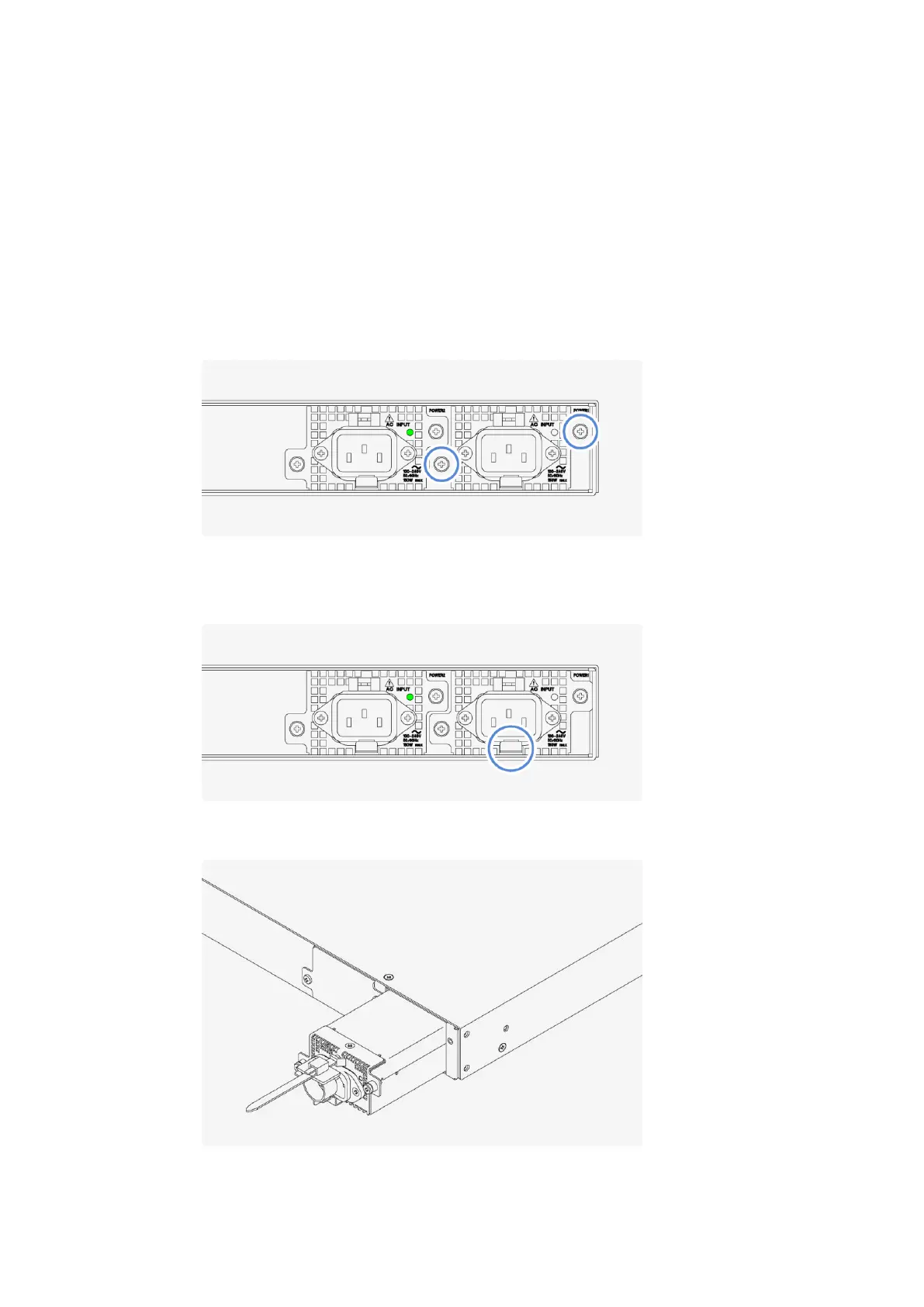
1 Disconnect the power cable from power supply unit POWER1.
2 Loosen the two screws.
The screws cannot be removed from the power supply unit even when they are loosened.
3 Pull up the lever, and then pull out the power supply unit.
First, pull up the lever at the bottom of the power supply unit.
Next, with the lever pulled up, pull out the power supply unit.



 To Next Page