6 BASIC OPERATION
46
6.2.2 Genlock Mode
1. Setting
On the REFERENCE CONFIG menu, set REFERENCE SOURCE to GENLOCK FMT-AUTO or
GENLOCK FMT-MANUAL.
When you set it to GENLOCK FMT-MANUAL, set the reference signal format manually.
Use GENLOCK FORMAT on the REFERENCE CONFIG menu to select the reference signal
format.
When you set it to GENLOCK FMT-AUTO, this instrument automatically identifies the
reference signal format; this setting is not necessary.
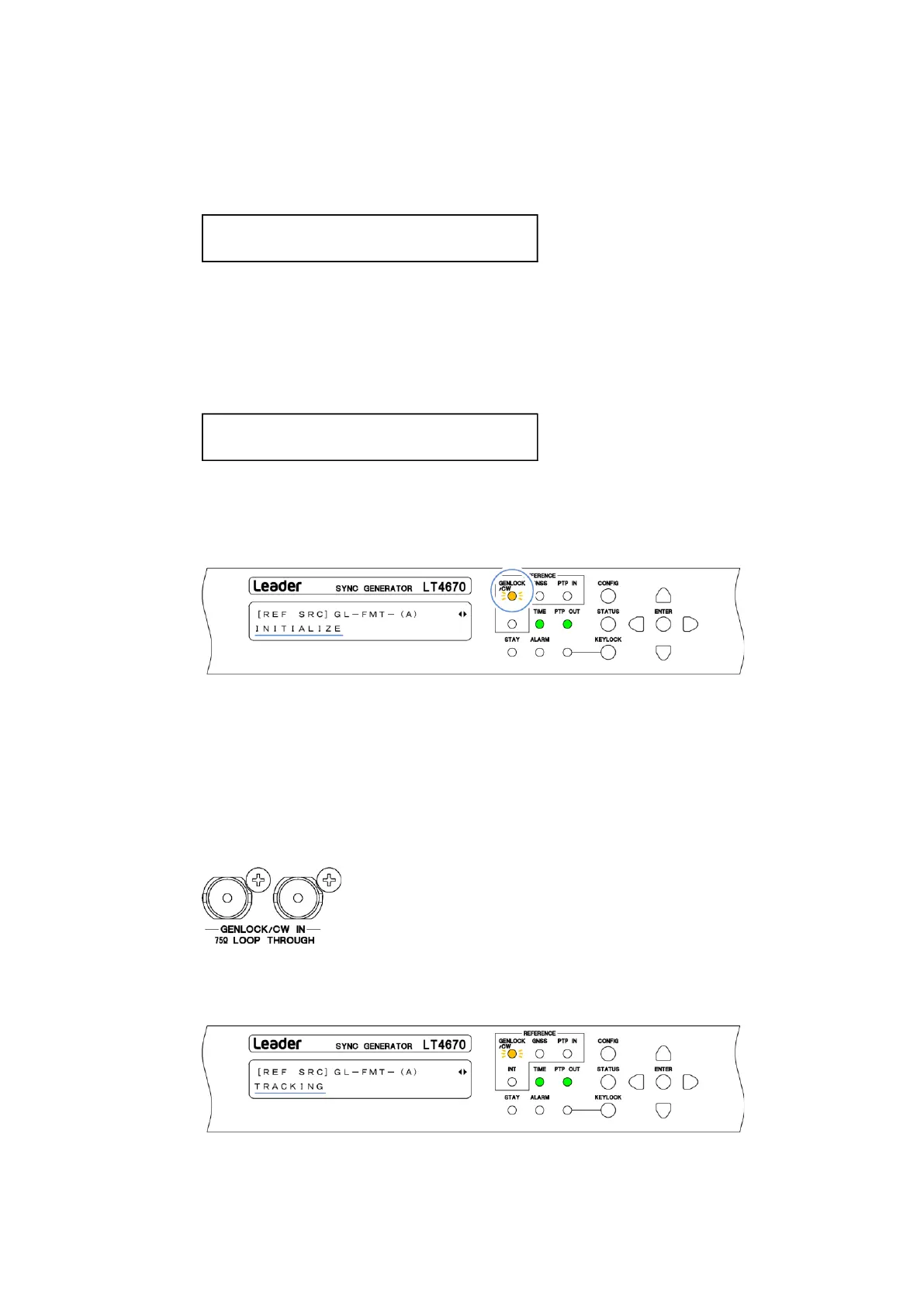
When you set REFERENCE SOURCE to GENLOCK, GENLOCK/CW on the front panel blinks in
orange, and under "STATUS > INFORMATION > REF SRC", "INITIALIZE" appears. From now
on, this screen is used for explanation.
2. Input of a reference signal
Apply an HD tri-level sync or NTSC/PAL black burst signal to one of the GENLOCK/CW IN
connectors on the rear panel. Use either of the following method to apply it.
・Apply to one connector and terminate the other at 75 Ω.
・Apply to one connector, connect the other to another device, and terminate the device at
the end of the chain at 75 Ω.
When you apply the signal, the message changes to "TRACKING" and the reference signal is
introduced. Wait in this state.



 To Next Page