5 PREPARATIONS
36
5 PREPARATIONS
5.1 Turning the Power On
5.1.1 Turning the Instrument On and Off
This instrument does not have a power switch. To turn on the power, connect the supplied
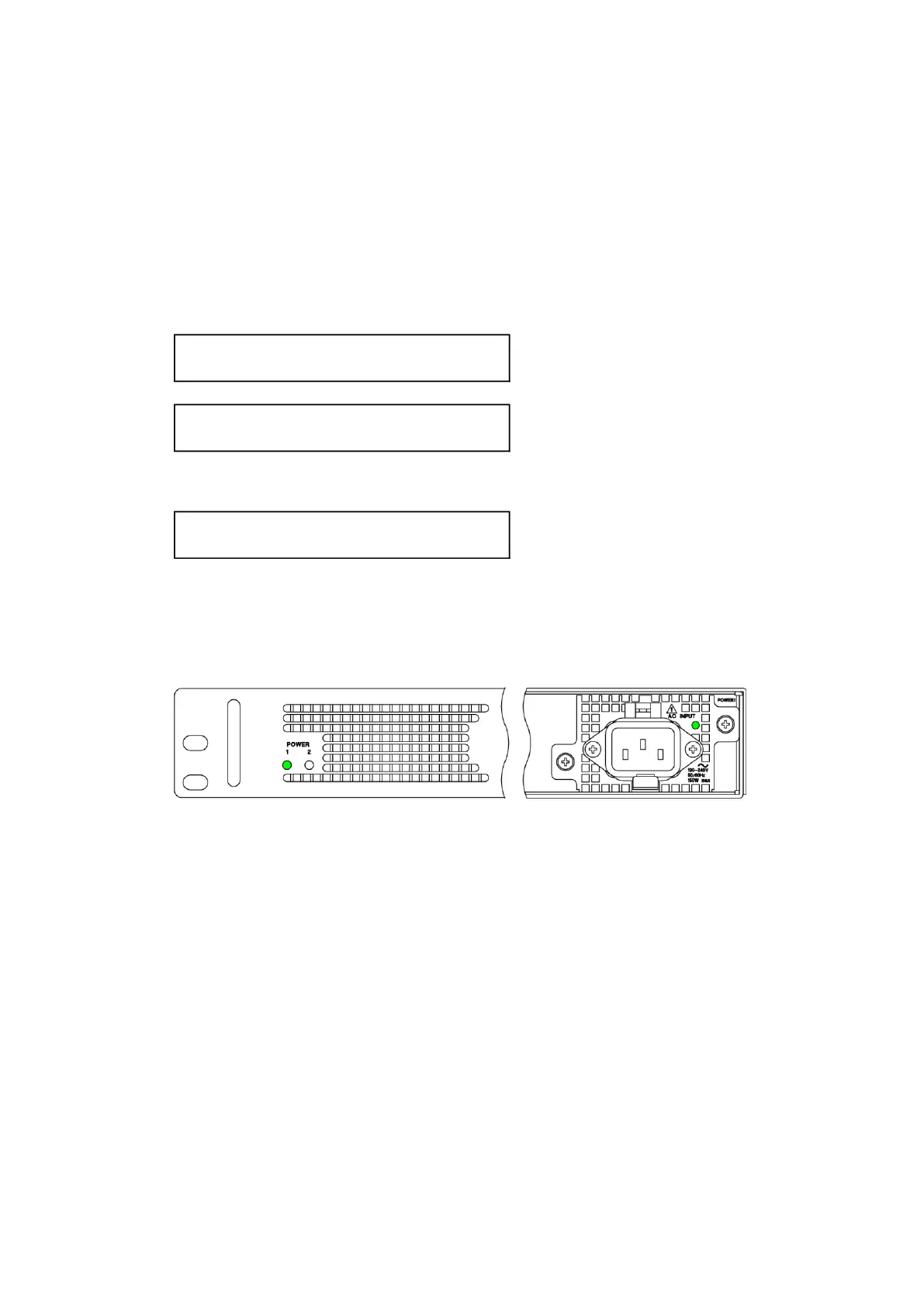
power cord to POWER1 on the rear panel.
When you turn on the power, the following screens are displayed. During this time, key
operations are not possible.
When the following screen is displayed, the startup is complete.
When you turn on the power, POWER 1 on the front panel and the LED on the rear panel light in
green.
If an error occurs in the fan of the power supply unit, these LEDs turn red. In this case, check
the power supply unit where the error occurred and contact your local LEADER agent.
Figure 5-1 | POWER LEDs
Immediately after the power is turned on, the instrument is set to the conditions that it was in
when the power was turned off the last time.
However, if POWER ON RECALL on the SYSTEM CONFIG menu is set to an option other than
OFF, the instrument starts with the specified preset.
[See also] "14.2.4 Power-on Settings"



 To Next Page