17 MAINTENANCE
194
17.2.3 Rear Fan Unit Replacement
The instrument has two fan units installed, one on the front panel and one on the rear panel.
You can replace one of these fan units with the power on.
The following procedure is an example in which you replace the fan unit on the rear panel with
the power on.
There is a pair of fan units, one for the front panel and one for the rear panel. Note that these
fan units are different in shape.
When replacing a fan unit with the power on, install a new fan unit and start the fan quickly
after stopping the existing fan. If the fan is stopped for an extended length of time, the internal
temperature becomes very high, potentially damaging the instrument.
1 Stop the fan on the rear panel.
Press the CONFIG key several times until SYSTEM CONFIG is displayed. Then, make the
necessary setting by following the procedure below.
SYSTEM CONFIG > FAN MAINTENANCE > REAR > OFF
2 Check that the fan on the rear panel has stopped.
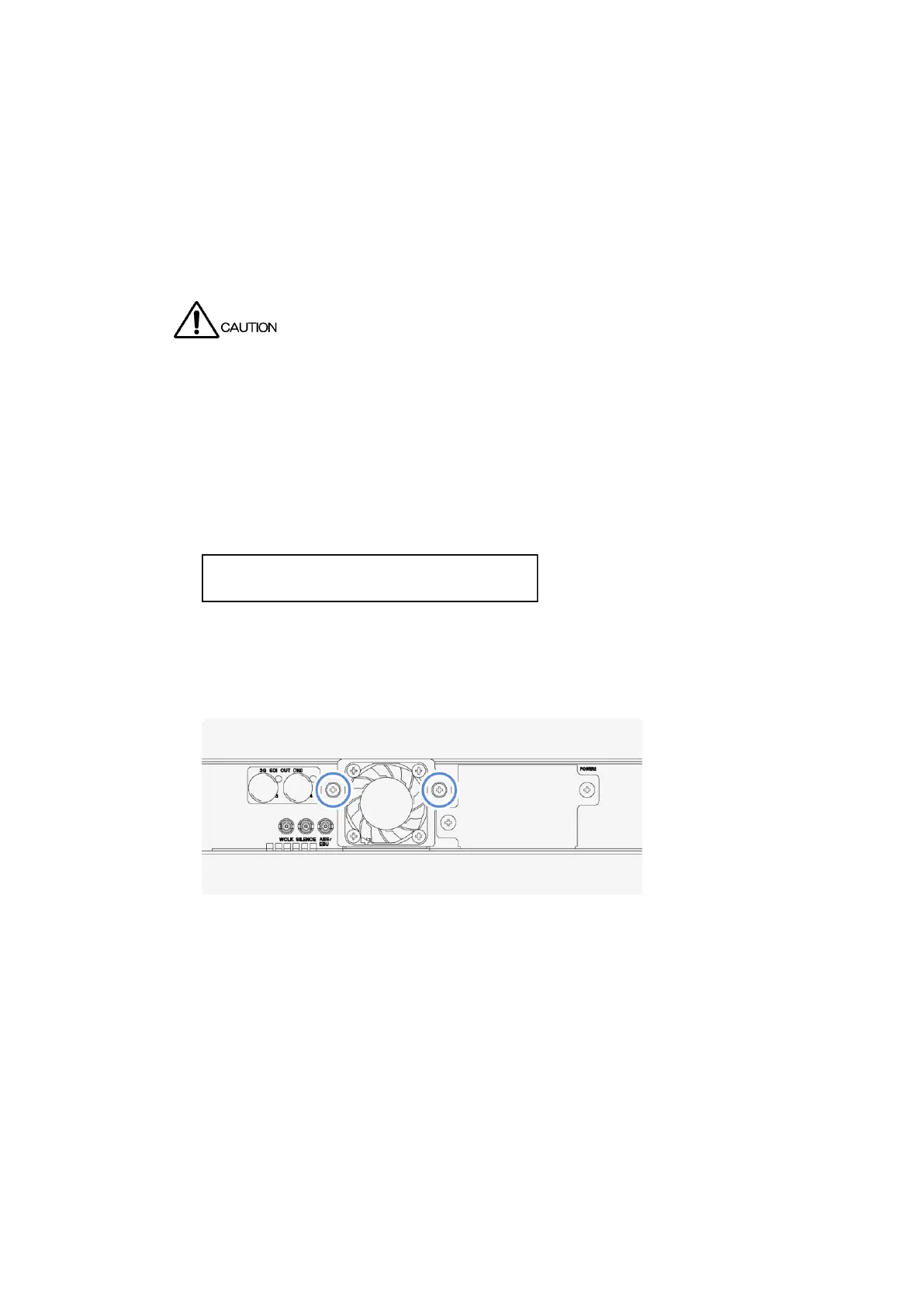
3 Loosen the two screws on the rear panel.
The screws cannot be removed from the fan unit even when they are loosened.



 To Next Page