6 BASIC OPERATION
62
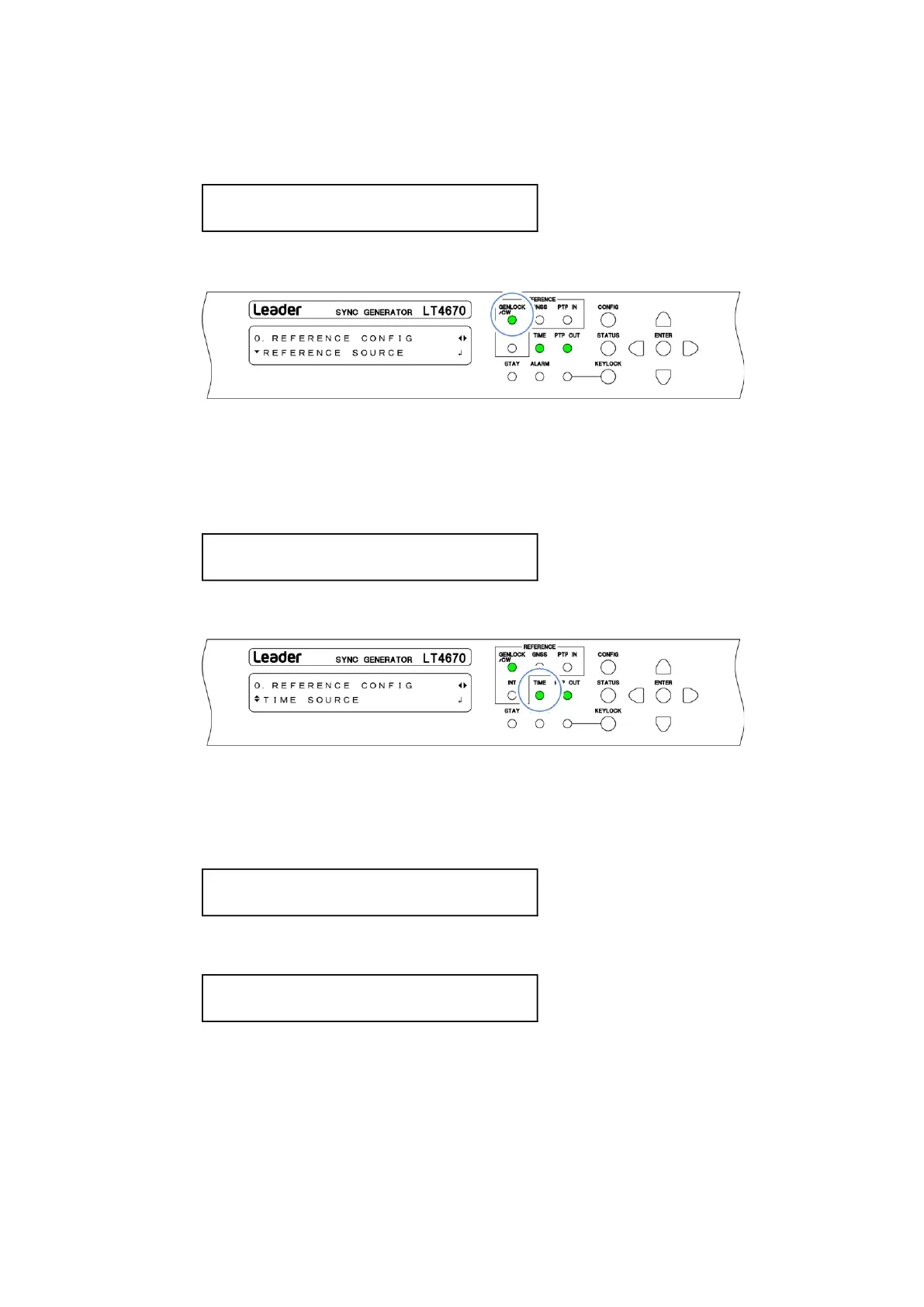
3. On each of the LT4670 (primary) and the LT4670 (backup), set REFERENCE SOURCE.
You can set REFERENCE SOURCE with "REFERENCE CONFIG > REFERENCE SOURCE".
Set it to "GENLOCK FMT-AUTO" or "GENLOCK FMT-MANUAL".
When the operation is performed properly, GENLOCK/CW on the front panel lights in green.
4. On the LT4670 (primary), set TIME SOURCE.
You can set TIME SOURCE with "REFERENCE CONFIG > TIME SOURCE". Select one of the
options.
The TIME SOURCE setting of the LT4670 (backup) is invalid.
When the operation is performed properly, TIME on the front panel lights in green.
5. On each of the LT4670 (primary) and LT4670 (backup), set L-SYNC SETUP.
You can set L-SYNC SETUP with "SYSTEM CONFIG > TIME MANAGEMENT > L-SYNC SETUP".
For the LT4670 (primary), set it to "PRIMARY".
For the LT4670 (backup), set it to "BACKUP".
Subsequently, the time of LT4670 (backup) will be the same as the time set by the LT4670
(primary). When the time of the LT4670 (primary) changes, the time of the LT4670
(backup) will also change accordingly.



 To Next Page