Installation
Page 42 Lorrca Maxsis User Manual
Version 5.04 MRN-231-EN
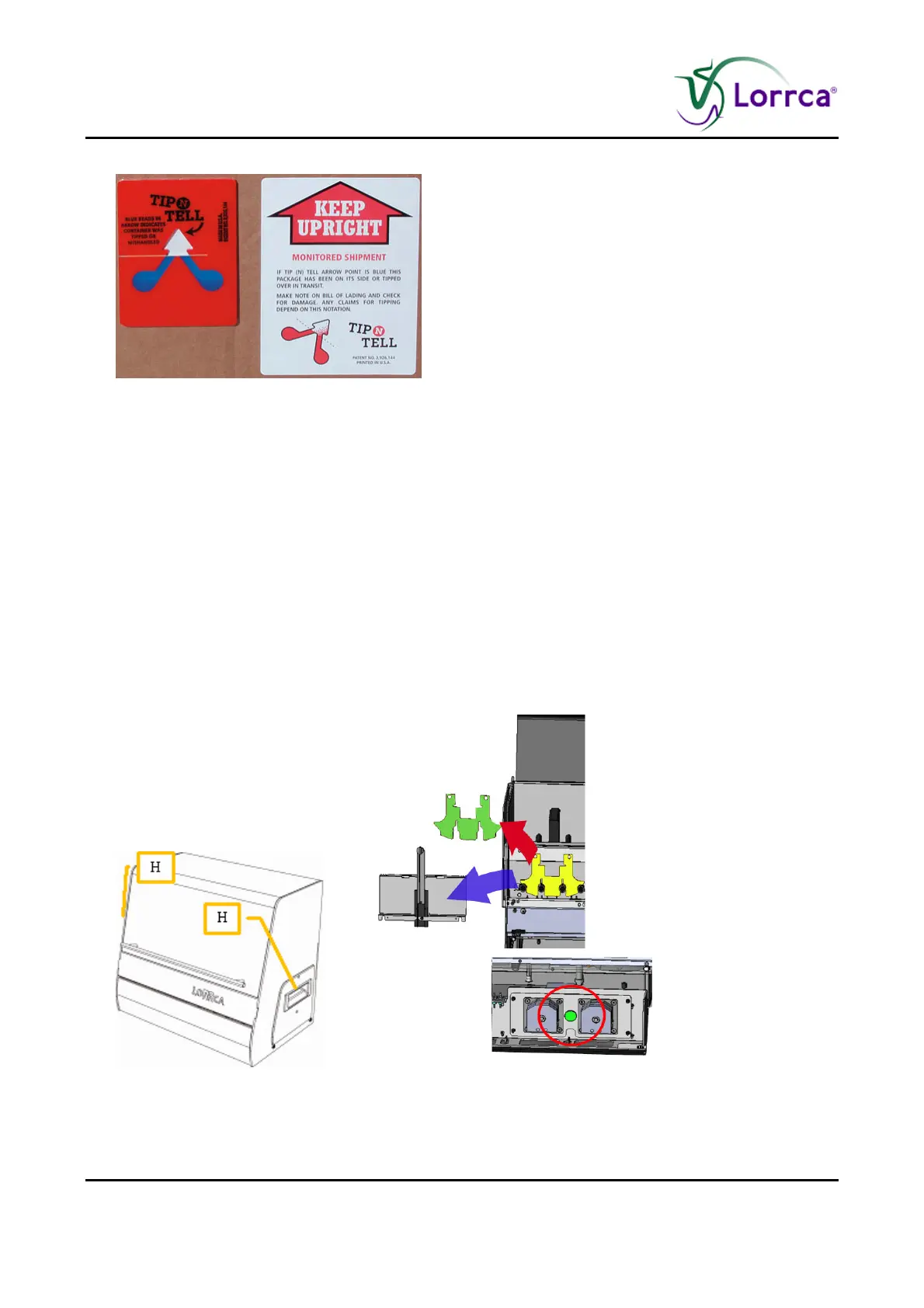
2. Check the Tip N Tell indicator if the packaging has been tipped. If so, act accordingly.
3. Remove the straps from the packaging and open it.
a. Check delivery for completeness;
Lorrca Reagents
b. Printer (if included in order)
c. Lorrca® MaxSis
d. Laptop
e. Accessory kit
4. Take the Laptop, printer and monitor out of the packaging and remove their boxes accordingly.
Place it on the table.
5. Connect the Laptop and Printer cables according the laptop and Printer installation instructions.
6. Take the Lorrca® MaxSis box out of the packaging in upright position and place it on the floor.
7. Open the box and lift the instrument out of the box by grabbing the handles (H) on the sides
(not the hood handle) of the instrument. Place it on the table.
8. Remove the protective materials from the instrument (store them to reuse in case of future
transport);
Foam pieces.



 To Next Page