Creating Schematic Symbols Using Cadence OrCAD Capture CIS for SmartFusion2
and IGLOO2 Designs
AC393 Application Note Revision 14.0 71
• Short Dot
• Short Dot clock
• Short
• Zero Length
The default shape for most of the FPGA symbol pins is LINE.
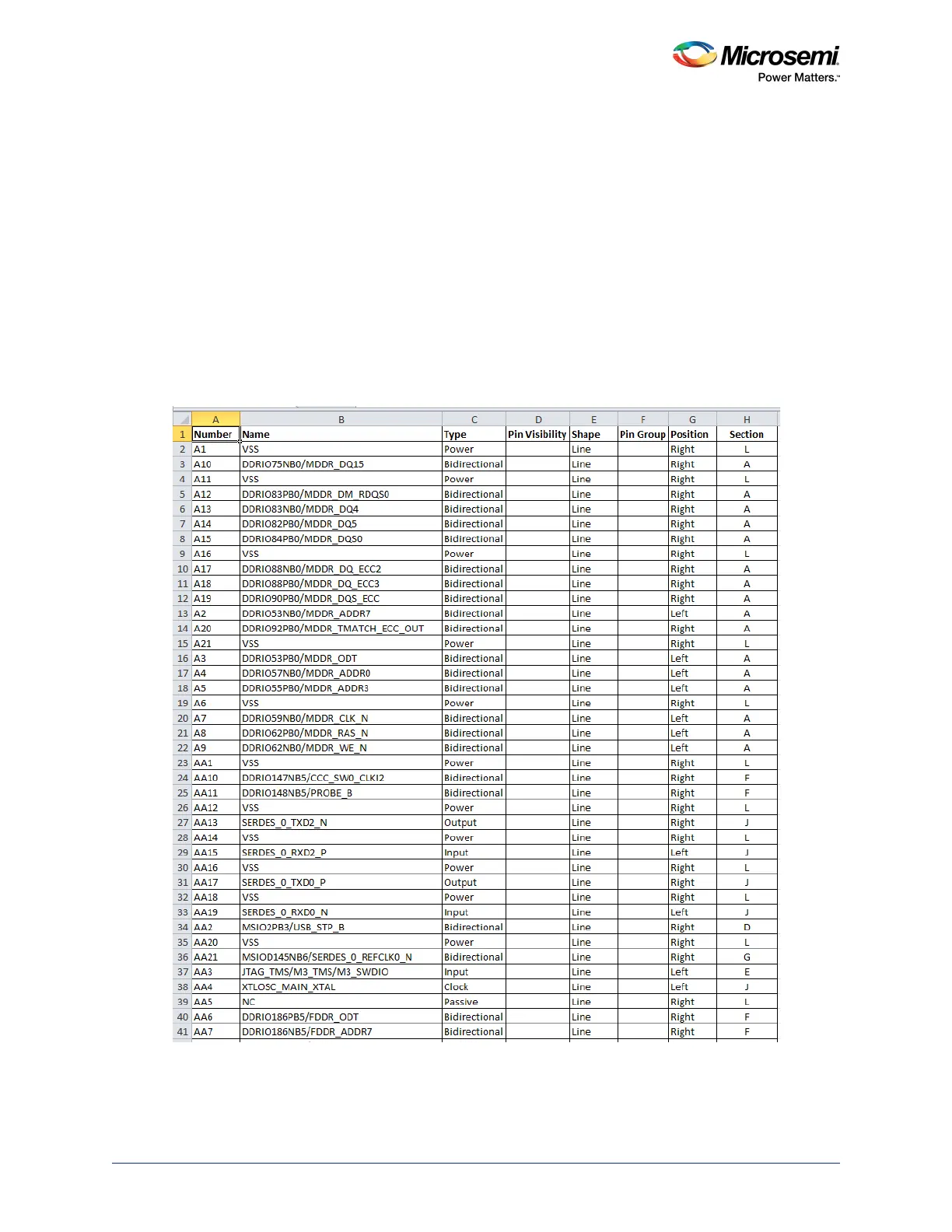
10. Leave the Pin Group column blank.
11. In the Position column, enter one of the following positions according to the requirement:
•Bottom
• Left
• Right
•Top
12. In the Section column, enter either a number or an alphabet based on the selection made for the
Part Numbering option. OrCAD Capture supports two Part Numbering options, that is 1,2,3,4,…for
Numeric option and A, B, C, D… for Alphabetical option. See Figure 72, page 74
13. Save the Excel file with an appropriate name.
Figure 69 • Example PAT Spreadsheet - Final Stage



 To Next Page