Creating Schematic Symbols Using Cadence OrCAD Capture CIS for SmartFusion2
and IGLOO2 Designs
AC393 Application Note Revision 14.0 78
The report is stored in the project directory. The path is:
<Libero Project Directory>\designer\project\export\<project
Name>_top_pinrpt_number.rpt.
4.2.2 Preparing the Pin List for Import into OrCAD Capture CIS
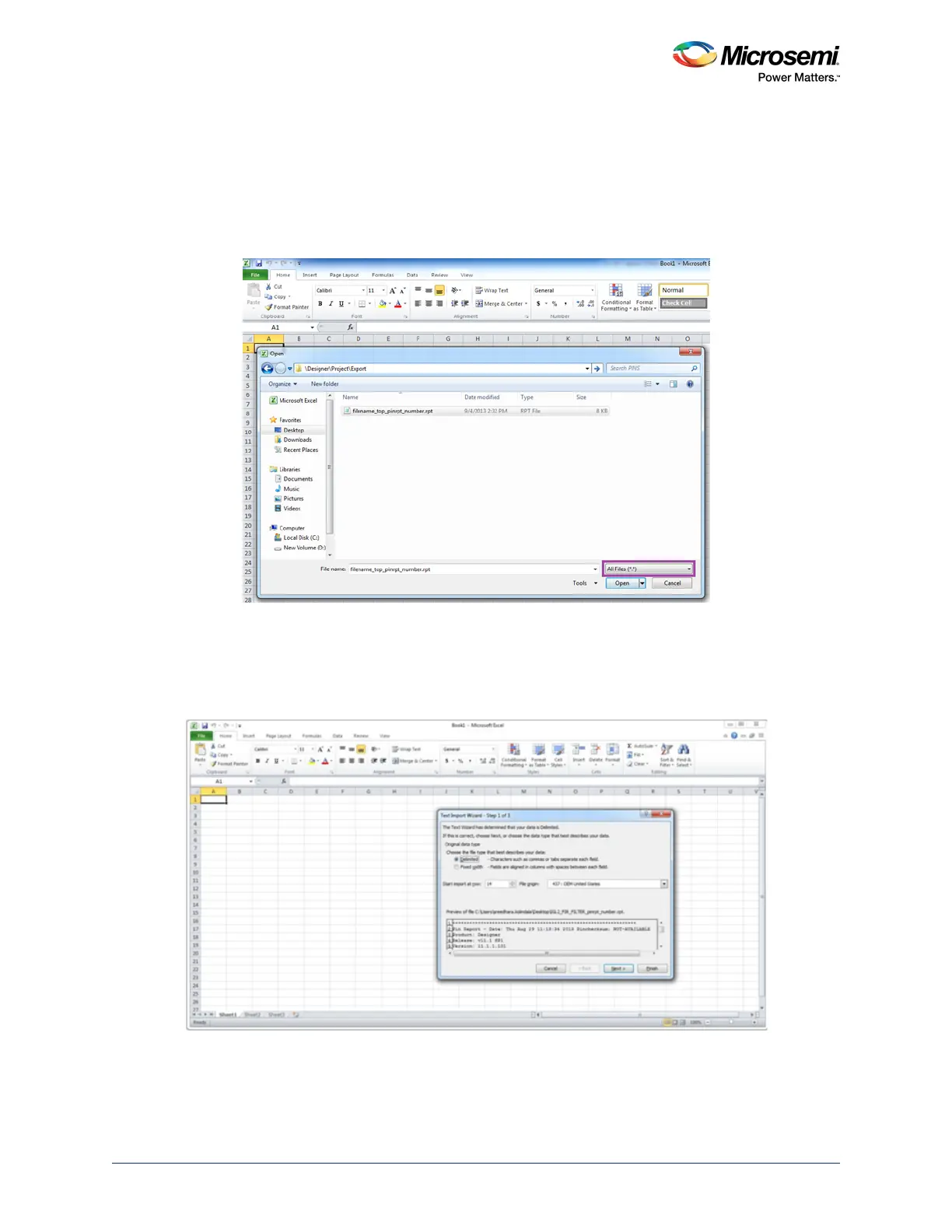
1. Launch Microsoft Excel, and open the *.rpt file that has the exported pin information. Before you
open, ensure that All Files (*.*) is the file type as shown in the following figure.
Figure 80 • Importing Pin Names to the Spreadsheet
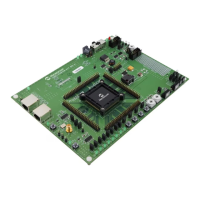
2. In the Text Import Wizard - Step 1 dialog, select Delimited, start import at page 14 and click Next.
The first 14 rows of the spreadsheet have data unrelated to the pin information.
The following figure shows the Text Import Wizard with the Delimited option selected and the Start
import at page option having the value 14.
Figure 81 • Importing Pin Names to the Spreadsheet—Step 1



 To Next Page