12. Commissioning
MiR250 Hook User Guide (en) 01/2023 - v.1.2 ©Copyright 2021-2023: Mobile Industrial Robots A/S. 165
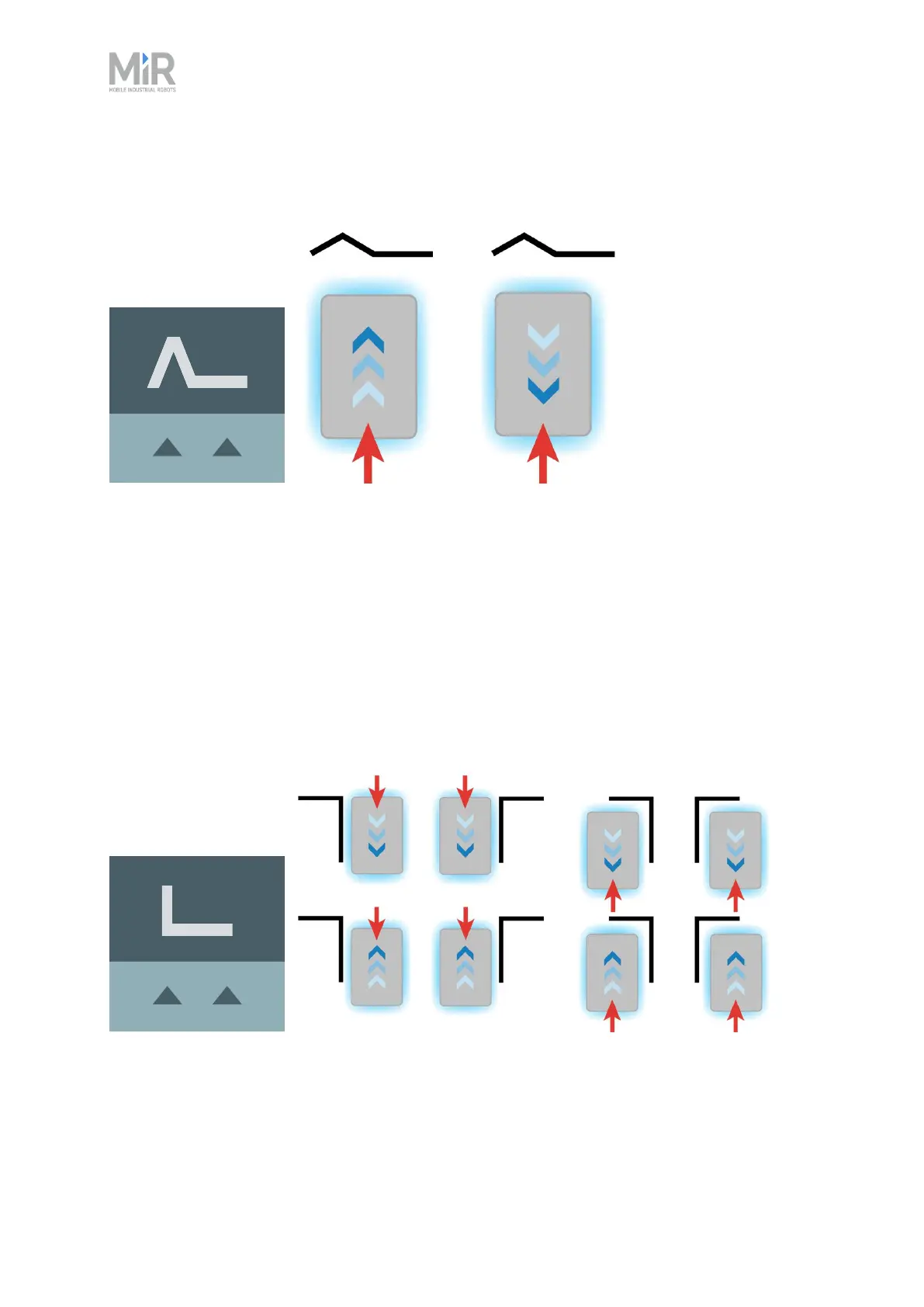
Figure 12.17 The icon used for VL-markers in the interface and an illustration of how robots can dock to the
marker.
An L-marker makes it possible for the robot to dock in several different ways and orientations.
Robots can both dock to the inside and outside of an L-marker, and the marker can be on any
side of the robot. The marker is shaped liked an L with a defined angle of 90˚ and the dimensions
400 mm × 600 mm.
The robot must dock so the longer side of the L-marker is parallel with the right and left sides of
the robot. If the robot is docking outside of the marker, it must approach from the side with the
90˚ corner.
Figure 12.18 The icon used for L-markers in the interface and an illustration of how robots can dock to the
marker.



 To Next Page