Chapter 5: Installation
Setting Initial System Configuration
Page 5-34 Inter-Tel
®
5000 Installation Manual – Issue 2.4, May 2008
Setting Initial System Configuration
Upon initial power up, the system uses DHCP to establish a network connection. If the site is
not running a DHCP server, you must provide site-specific IP addresses and other network
information before you can begin programming the system in DB Programming. You can also
program the database offline using the Local Mode option in Session Manager.
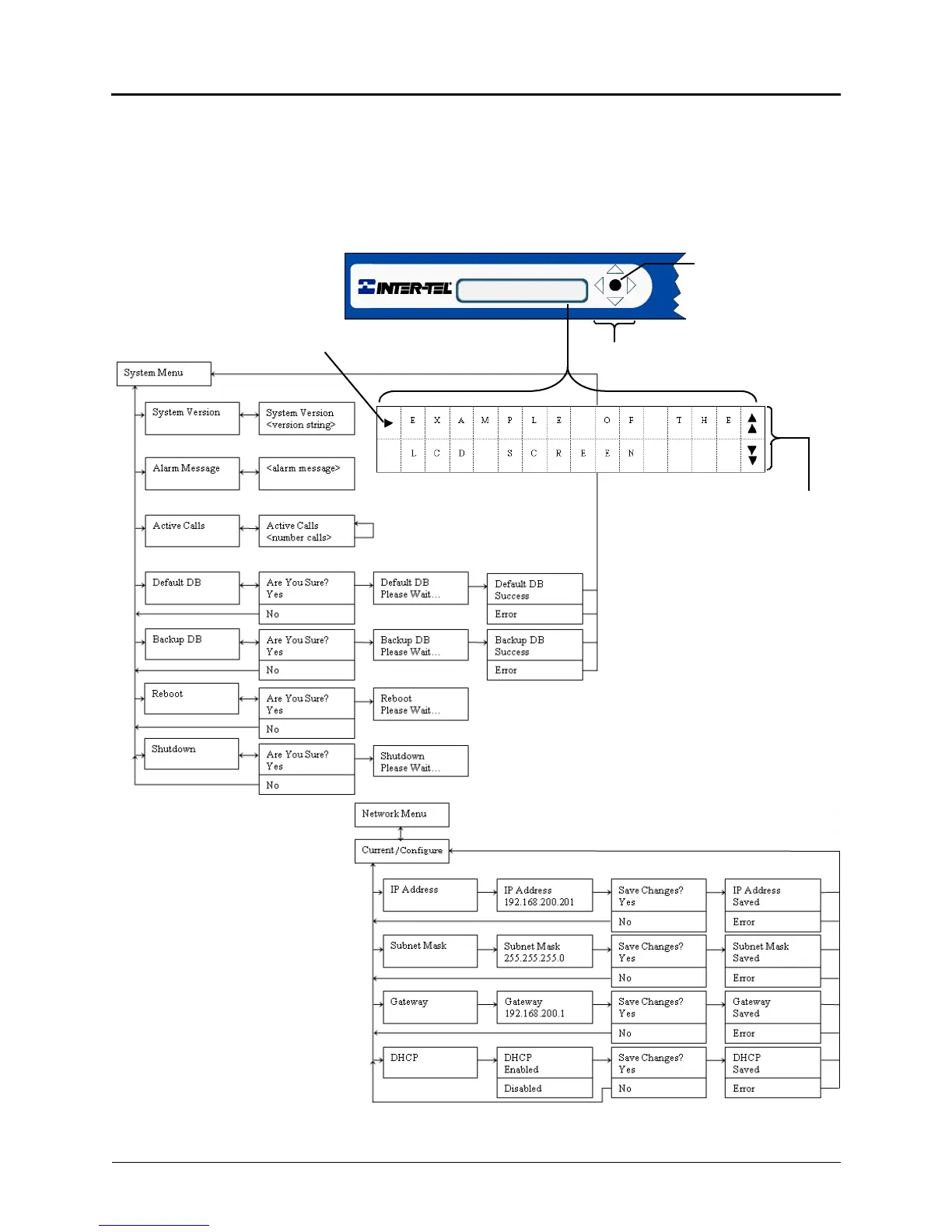
Figure 5-14. LCD Panel and Controls
System Menu Options
Indicates the selected menu item
Indicates a menu selection
either above, below, or both
Chassis Front
2- Line LCD panel
LCD Panel Controls. Up, Down,
Push to select menu
option or confirm
selection. Or, push to
Right, Left keys move through menus
power on system if
shut down manually.
Network Menu Options



 To Next Page