Chapter 5: Installation
TFTP Server Configuration Example
Page 5-142 Inter-Tel
®
5000 Installation Manual – Issue 2.4, May 2008
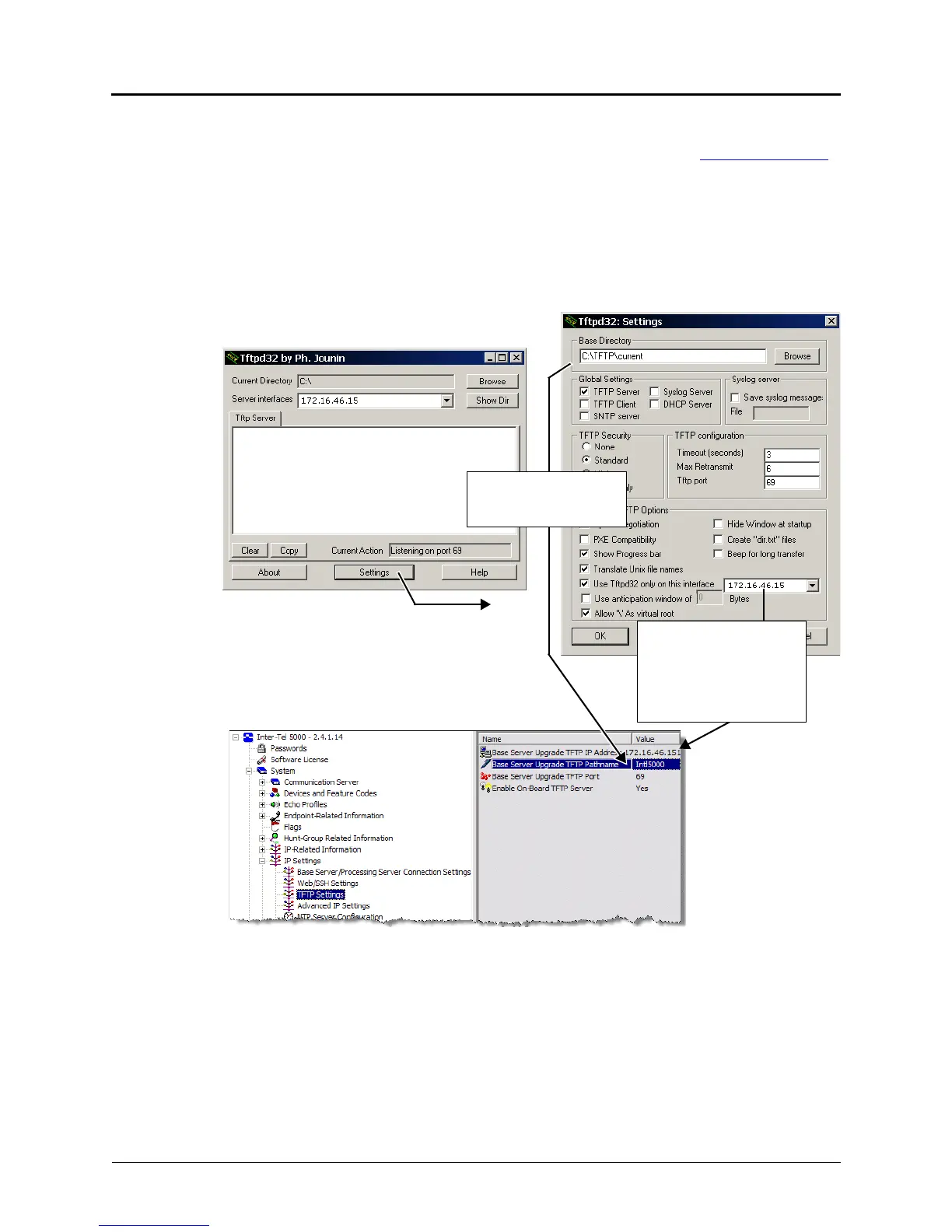
TFTP Server Configuration Example
This example provides information on some configuration settings for the Tftp32d TFTP server.
Depending on the TFTP server you are using, these settings may be located in other dialog
boxes or locations. Inter-Tel, Inc. does not provide support for this TFTP server. It is shown here
as an example only. For DB Programming information discussed in this procedure, refer to the
Inter-Tel 5000 Features and Programming Guide (part no: 580.8006).
To set TFTP server properties:
1. Launch the TFTP server application and click the Settings button.
Figure 5-60. Example TFTP Server Configuration
This is the IP address for
the computer where the
system upgrade files are
located. Set it to the TFTP
IP Address field in DB
Programming.
DB Programming
looks in Base Directory
(TFTP root directory)



 To Next Page