Chapter 5: Installation
Converting a Database from One Version to Another
Inter-Tel
®
5000 Installation Manual – Issue 2.4, May 2008 Page 5-89
Converting a Database from One Version to Another
By following the instructions in this section, you can convert the system database structure from
one version to another while retaining system data. Refer to the Inter-Tel 5000 Features and
Programming Guide (part no: 580.8006) for additional database conversion information.
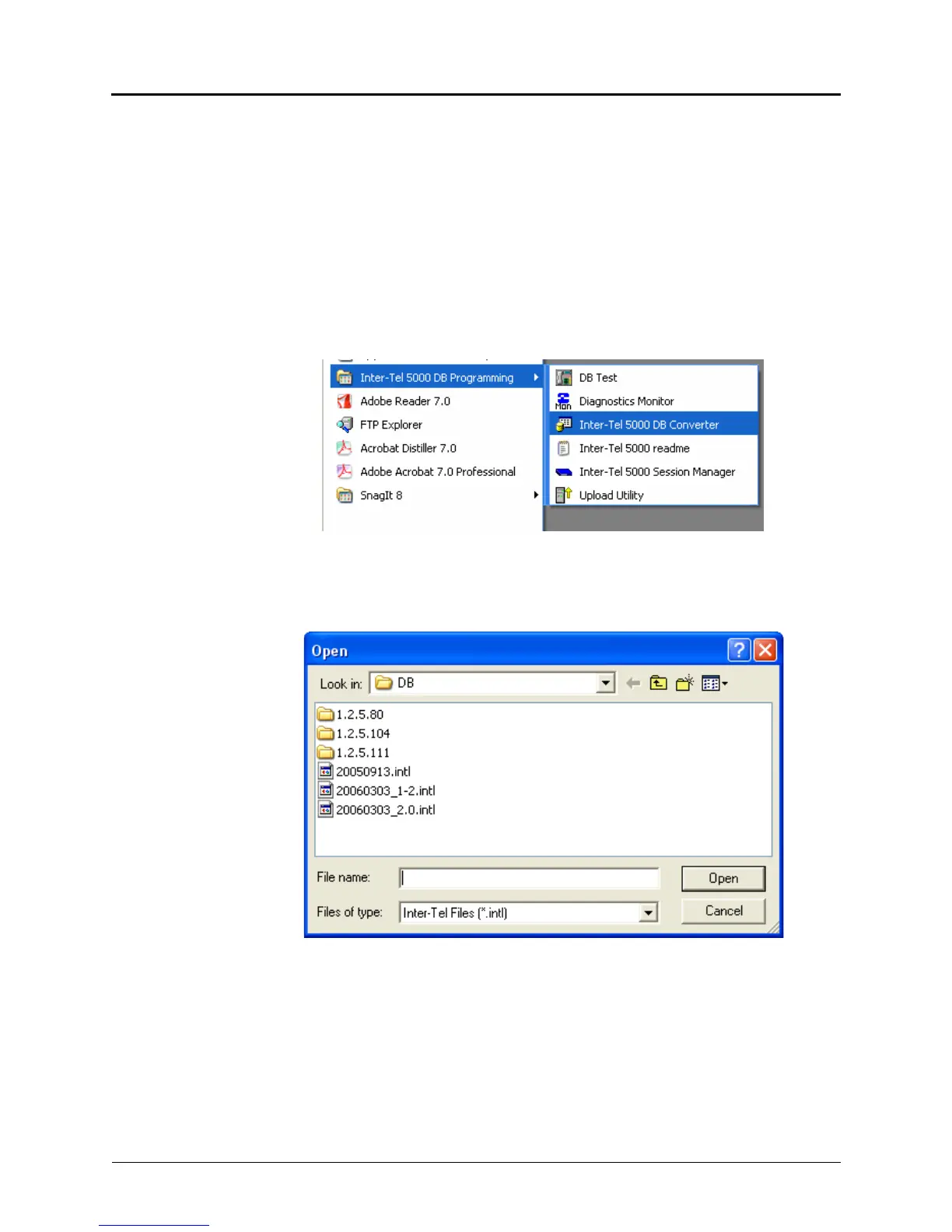
To convert a database from one version to another:
1. From the TFTP server, upgrade the system software to the version you want running on
the system after completing the upgrade process. In the examples shown in this
procedure, .intl database files have been stored in a folder named DB that appears
in the Open Window.
2. From your PC desktop select Start – All Programs – Inter-Tel 5000 DB Programming –
Inter-Tel 5000 DB Converter.
3. Click the ellipsis button at the right of the Source File: box.
4. The database source file folders available for conversion are listed. You may browse to a
different folder if necessary.
5. Select the database version that you want to upgrade. The selected filename appears in
the File name: box.



 To Next Page