Chapter 5: Installation
Converting a Database from One Version to Another
Page 5-90 Inter-Tel
®
5000 Installation Manual – Issue 2.4, May 2008
6. Click Open.
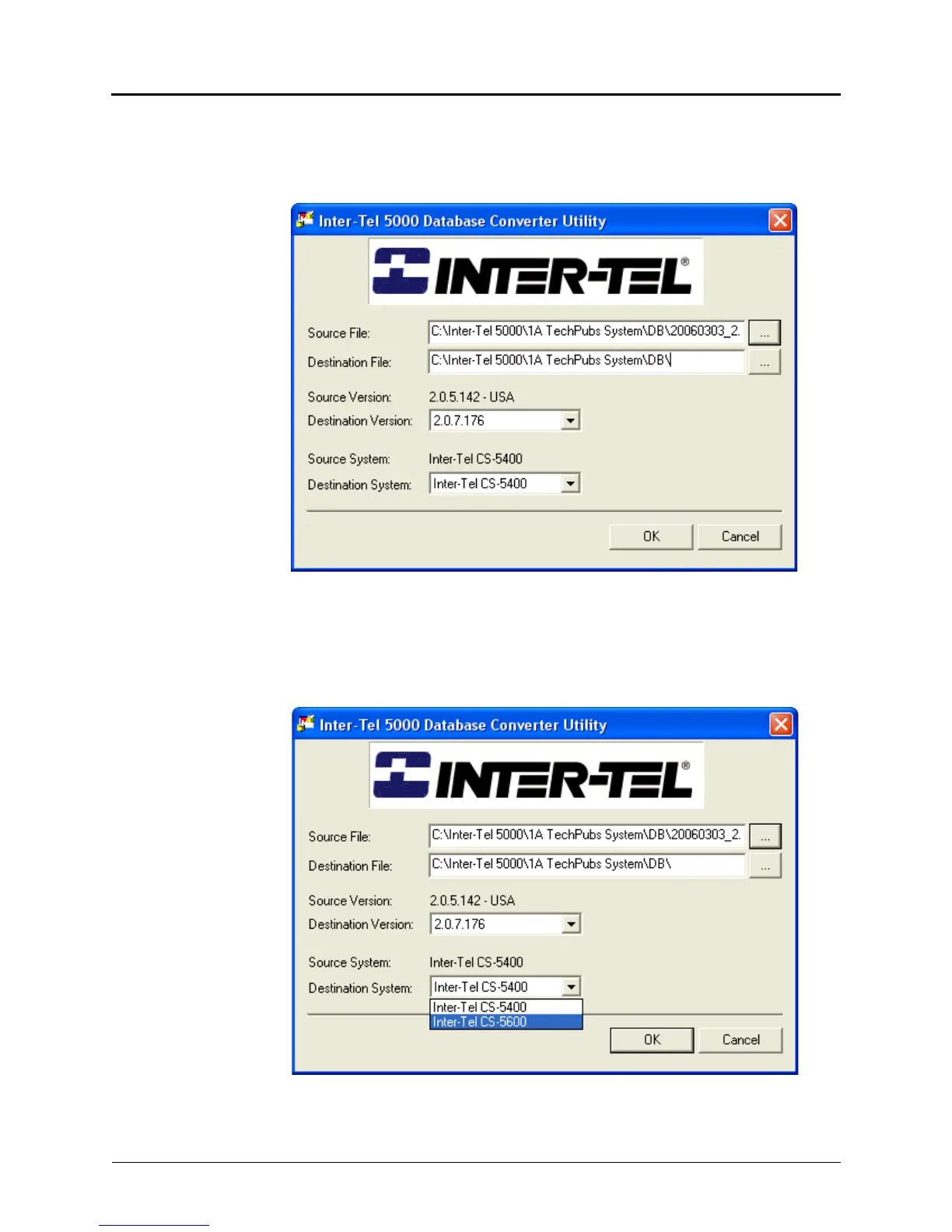
In the Inter-Tel 5000 Database Converter Utility window, the selected and opened source
file appears in the Source File: box, and the Source Version appears below the
Destination File box. In the following illustration the source version is 2.0.5.142 - USA.
7. Click the ellipsis button at the right of the Destination File: box—browse if necessary to
look in the appropriate folder—and select the .intl database file downloaded in step 5
on page 5-89 of this procedure.
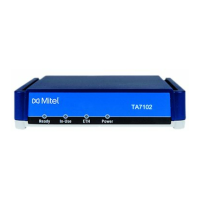
8. Select the target version from the Destination Version list.
9. Select the target version from the Destination System list.
10. Click OK. The source database version is converted to the target database version and
system.


 To Next Page