Chapter 5: Installation
Removing System Voice Prompts and Inter-Tel Endpoint Firmware
Inter-Tel
®
5000 Installation Manual – Issue 2.4, May 2008 Page 5-141
Removing System Voice Prompts and Inter-Tel Endpoint Firmware
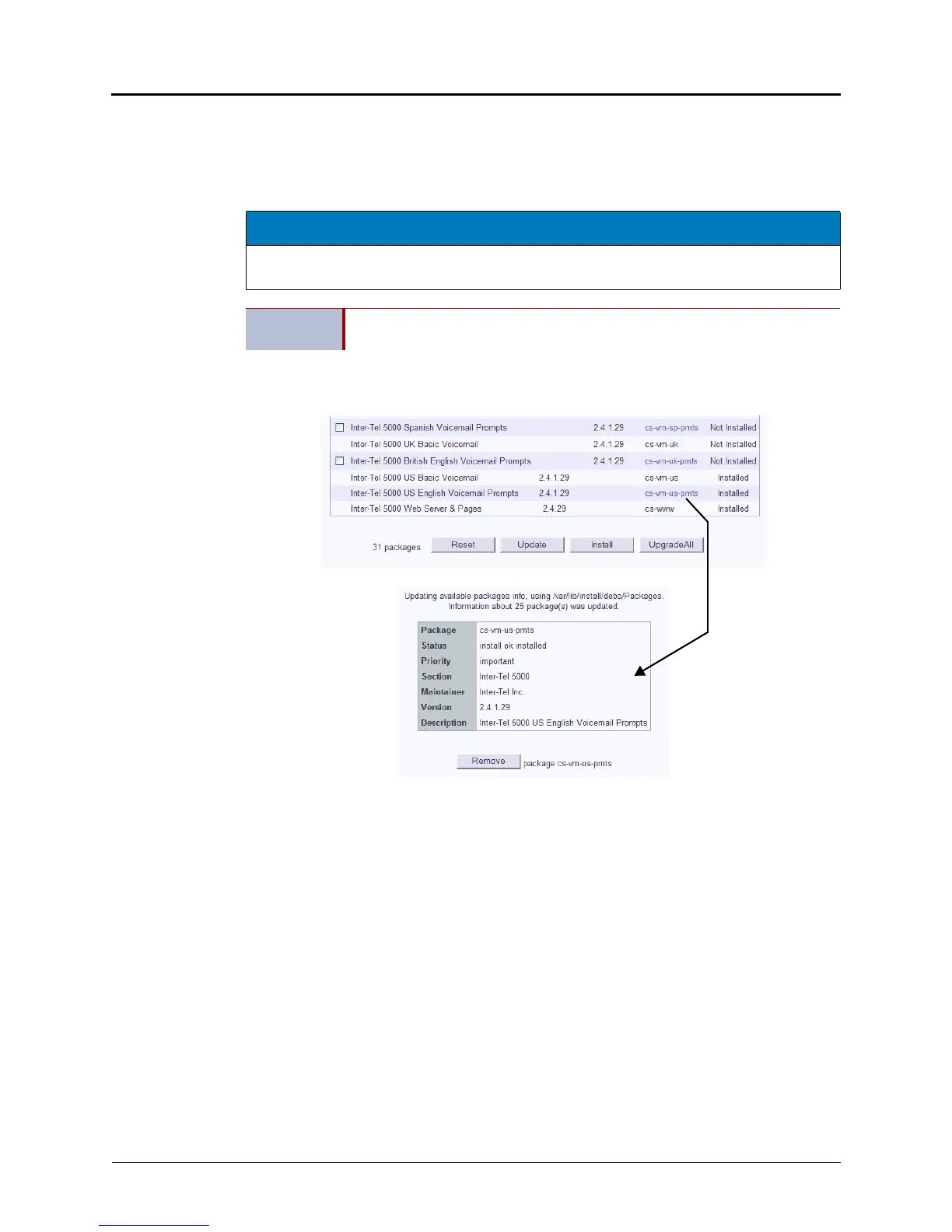
If an Inter-Tel firmware or voice prompt package is added to the system, and later it is
determined that you need to revert back to a previous version of the same package, the
package will need to be removed and the previous version installed.
Do the following:
1. Complete step 1 on page 5-137 through step 5 on page 5-138.
2. Click the package name you want to remove.
3. Click Remove to remove the selected package.
4. Install the previous version of the package you removed.
5. Reboot the system, if prompted. See step 2 on page 5-35. If you chose the Update All
option, the system will reboot, if needed.
NOTICE
Upgrading system software using the Update All option requires a system reboot. Do not use
this option during normal business hours.
IMPORTANT
Before removing any packages, make sure you have the prior version of that
package so that it can be reinstalled, if needed.



 To Next Page